
Painting estimating software that prices on your numbers.
Painting contractor estimating software turns commercial and industrial drawings and finish schedules into a priced bid, and Ruh does it by measuring wall, ceiling, and trim by finish and coat, 396 SF of wall in a 10 ft by 12 ft room with 9 ft walls, priced through 14 starting painting recipes you can edit. Below: the painting takeoff table, a worked example priced line by line, and the questions painting estimators ask.
Measuring first? Painting Takeoff Software
- ✓Wall paint area by substrate, measured sf
- ✓Ceiling paint area, measured sf
- ✓Trim and base run, measured lf
Free walkthrough on your own plans. Your estimator signs off.
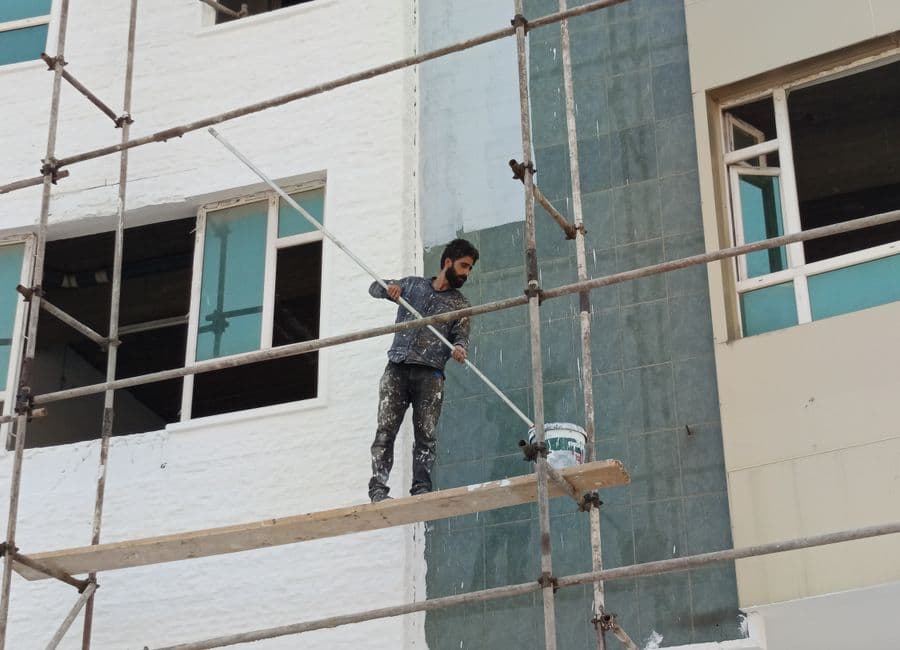
The Painting Estimating Problems This Solves.
Square Footage by Substrate and Coat Count Drives Gallons, and a Wrong Assumption Multiplies
Painting is priced on area, but area alone does not buy paint. The same 10,000 sf of wall costs very differently on smooth gypsum board versus CMU or fireproofed deck, and one coat versus prime plus two finish coats changes both gallons and labor by a wide margin. Miss the coat count on a finish schedule or assume one substrate when the spec calls for another, and your gallon count and crew hours are wrong before the first drop cloth goes down.
Prep Scope Hides the Labor That Kills the Margin
The gallons are the cheap part. Patching, sanding, caulking, masking, and protecting adjacent finishes are where painting jobs bleed hours, and none of it shows up cleanly on a drawing. A repaint over a failing substrate or a fast-track job with other trades in the room carries prep labor that can rival the topcoat labor. If prep is buried inside a per square foot rate instead of broken out as its own line, the estimate looks competitive and loses money in the field.
Trim, Doors, and Frames Get Counted Separately and Routinely Get Missed
Walls and ceilings measure as area, but linear trim runs measure as lf, and doors and frames price per each at their own production rates. These are slower work per unit than rolling open wall, and they sit in the spec and door schedule rather than on the floor plan. When the takeoff is rushed, hollow metal frames, casework, and trim runs slip through, so the bid undercounts the slowest, most labor heavy part of the scope.
From Your Painting Drawings to a Priced Line.
The same pipeline that runs the takeoff runs the pricing, so the number you send out traces back to the sheet it came from.
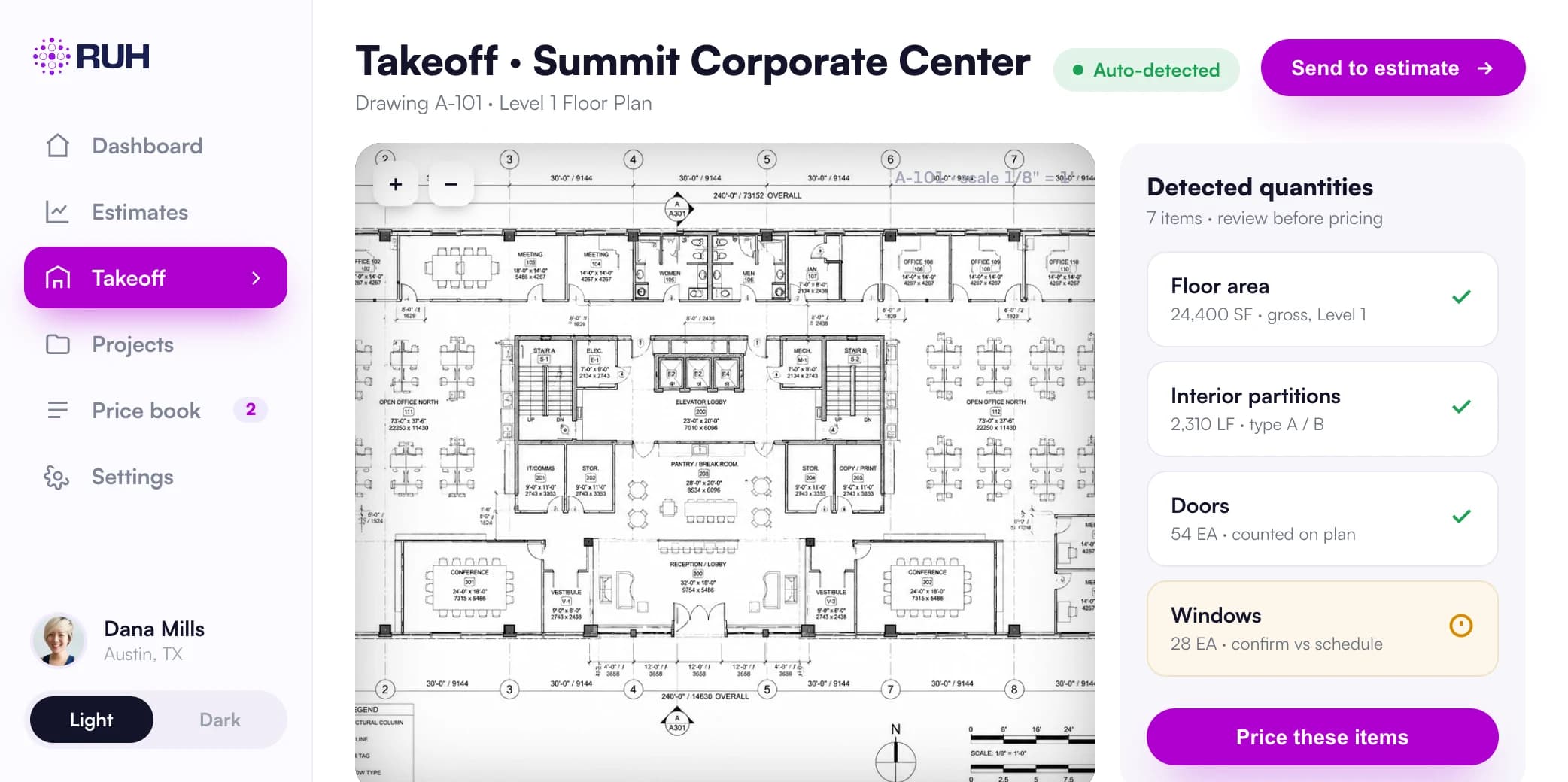
Quantities lifted from the real sheets, each tied to the sheet it came from and checked by a blind second count.
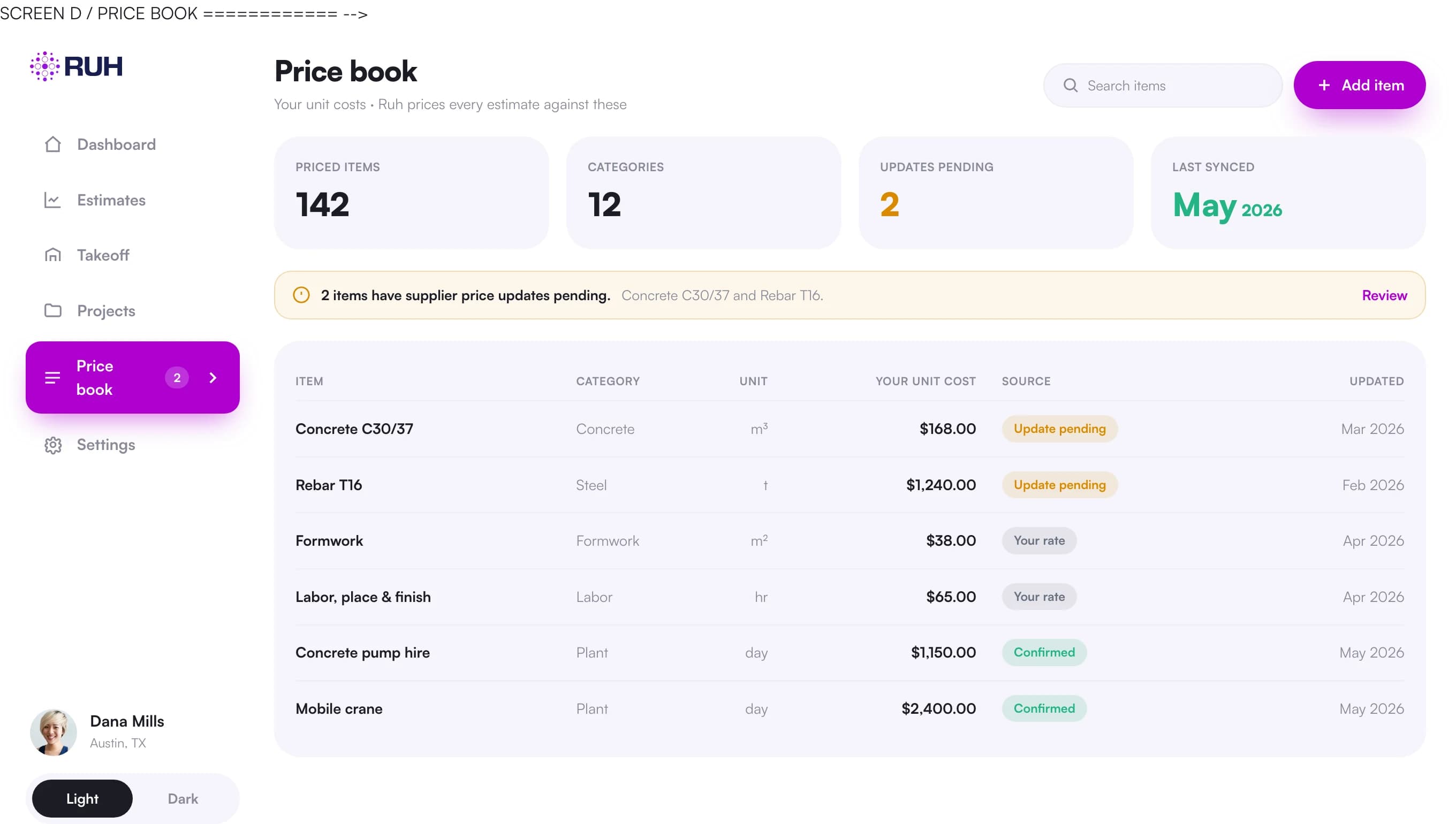
Your own rates and assemblies, not a generic national cost database.
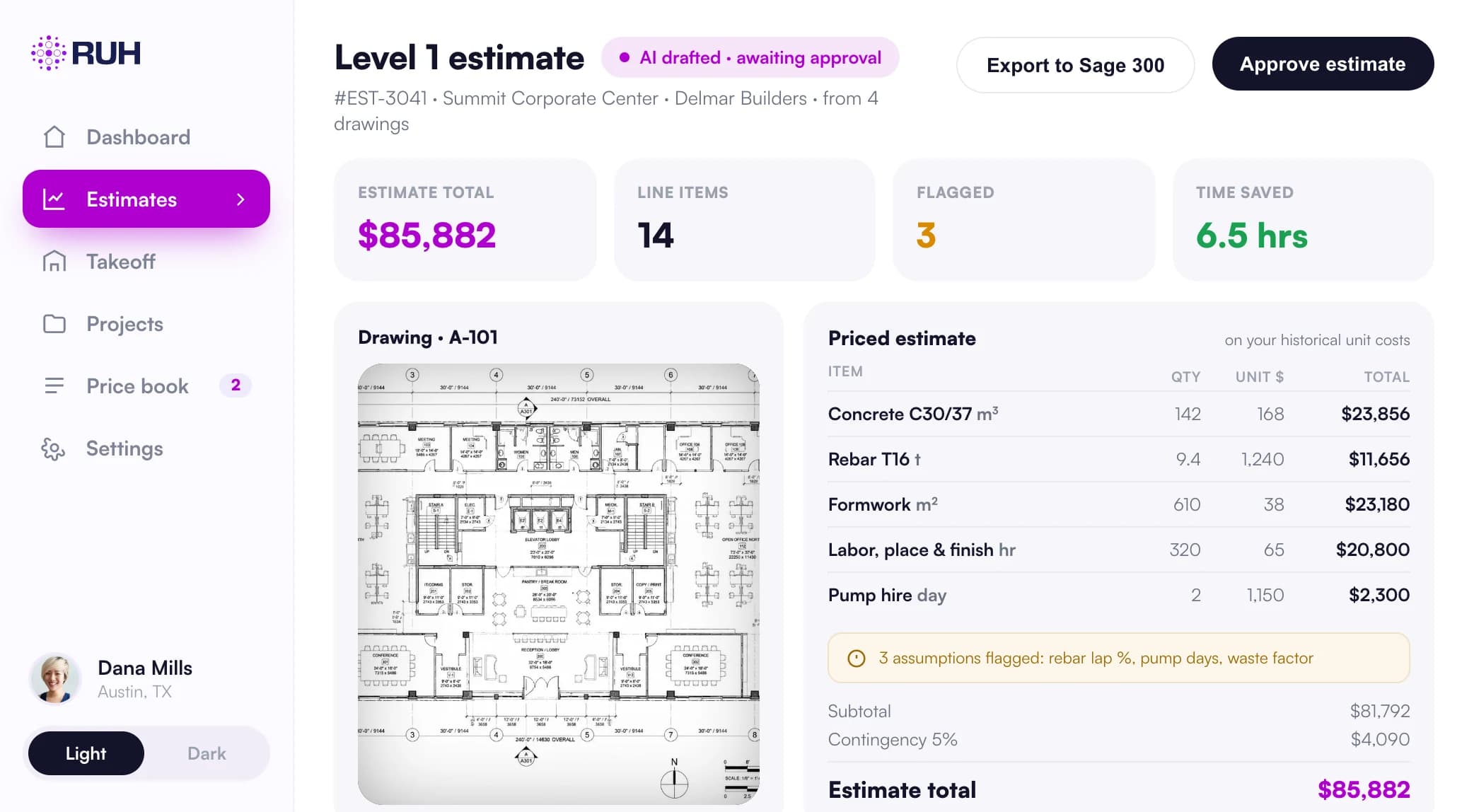
Every line traceable back to the sheet it came from before anything goes out.
What a Painting Takeoff Counts and Measures.
| Item | Unit | How it is measured and priced |
|---|---|---|
| Wall paint area by substrate | sf | Measured as net wall area per room or wall type, segregated by substrate (gypsum board, CMU, plaster, wood) because absorption and coats differ; deduct large openings, keep substrate as its own takeoff bucket |
| Ceiling paint area | sf | Plan area by room, flagged flat versus textured and open deck versus hard lid; priced at a separate production rate from walls since overhead work is slower |
| Trim and base run | lf | Linear feet of base, casing, crown, and window trim from the finish schedule; priced per lf at a slower production rate than open wall area |
| Door and frame count | ea | Doors and hollow metal frames counted each from the door schedule; priced per each (or per side) at fixed labor since they paint slower than flat area |
| Coats | count | Prime plus finish coats per the finish schedule; multiplies both gallon demand and labor hours, so it is carried explicitly per surface not assumed |
| Paint gallons | gal | Derived from area times coats divided by coverage rate (typically 350 to 400 sf per gallon), then rounded up to full containers per product and color |
| Surface prep area | sf | Patch, sand, caulk, and skim area broken out as its own line, not folded into the paint rate, because prep labor varies independently of topcoat |
| Masking and protection | lf / sf | Lf of edges to tape and sf of floors and fixtures to cover; quantified separately on occupied or multi-trade spaces where protection time is significant |
| Specialty and high coatings | sf | Epoxy, block filler on CMU, or intumescent areas measured separately at their own coverage and labor rates since they behave nothing like latex on gypsum |
| Wall assembly per room | assembly | Room or wall type bundled as prep plus prime plus finish plus masking so one assembly carries the full scope and prices consistently across like spaces |
What Is a Painting Estimate Program, and How Is It Different From a Spreadsheet?
A painting estimate program takes the drawings and finish schedule and produces measured quantities priced on your own rates, while a spreadsheet only does the arithmetic you type into it. Ruh measures net wall and ceiling area, trim linear feet, and door and frame counts, then applies your coat counts, coverage rates, labor production rates, and gallon costs. Prep, masking, and specialty coatings remain separate lines, and the estimator reviews every quantity, assumption, and rate before sign-off.
Commercial and Industrial Painting Estimating Software: What Changes on a Big Set
Commercial painting estimating software has to keep a larger set separated by room, surface, substrate, and schedule line instead of blending unlike work into one area rate. Ruh carries walls by gypsum board, CMU, plaster, or wood; ceilings by flat, textured, open deck, or hard lid; and trim, doors, and frames in their own units. Prep and masking stay separate from finish coats, while epoxy, block filler on CMU, and intumescent areas retain their own coverage and labor rates. The estimator can trace each quantity and assumption back to the drawings and schedules before signing off.
How Do You Choose the Best Painting Estimating Software?
The best estimating software for painting contractors is the one that measures from the real drawing set and finish schedules, then shows the net area, coat count, and coverage math behind each line. Check that it prices with your own coverage rates, labor production rates, gallon costs, and markup, and that prep remains separate from finish coats instead of disappearing into a blended rate. The estimator should be able to see, adjust, and sign every quantity, rate, and assumption before the bid goes out.
For the bid workflow and the cost build-up, see how to bid painting as a subcontractor and estimating painting cost.
A Worked Painting Example
Scope: one office, four walls, 9 ft ceilings, smooth gypsum board, prime plus two finish coats. Wall perimeter is 80 lf, so wall area is 80 lf times 9 ft = 720 sf. Deduct one door and glazing at 60 sf, leaving 660 sf net wall. Three coats means 660 sf times 3 = 1,980 sf of applied coverage. At 350 sf per gallon, that is 1,980 / 350 = 5.66 gallons, rounded to 6 gallons. At 45 dollars per gallon, paint is 270 dollars. Wall labor at 0.011 hours per sf times 1,980 sf = 21.8 hours. Add the trim: 80 lf of base at 0.05 hours per lf = 4 hours, plus one door and frame at 1.5 hours. Total labor is 21.8 + 4 + 1.5 = 27.3 hours. At 55 dollars per hour, labor is 1,501.50 dollars. Paint plus labor is 270 + 1,501.50 = 1,771.50 dollars before prep, masking, and markup, which carry as their own lines.
Bidding Painting Work This Month? Book a 30-minute walkthrough of a takeoff on a real plan.
Book a walkthrough
How Ruh Runs Your Painting Estimates.
Ruh ingests the drawings, finish schedule, and door schedule, then builds the painting takeoff by surface: net wall area by substrate, ceiling area, trim lf, and door and frame counts, each tied back to the room and the schedule line it came from. It applies your coat counts, your coverage rates, and your production rates, then prices every line on your own price book so gallons, labor hours, and dollars all trace to your numbers, not a generic database. Prep, masking, and specialty coatings come through as separate lines rather than buried in a blended rate, with anything inferred from a vague spec flagged as an issue. Your estimator reviews each quantity, rate, and assumption, adjusts what the field knows that the plans do not, and signs off before the bid goes out.
Try Ruh on a real bid. 100% money-back guarantee if you are not satisfied.*
*Scoped delivery, terms apply. Read the guarantee terms
Painting Estimating Software FAQs
How accurate is the takeoff, and can I trust the quantities?+
Ruh measures wall, ceiling, trim, and door quantities off the drawings and schedules and shows its work line by line, so you see the net area, the coat count, and the coverage math behind every gallon. It flags anything it inferred from an ambiguous spec rather than burying it. The number is meant to be audited, not accepted blind, which is why the estimator reviews and signs off before it counts as a bid.
Does it price on my rates or some generic cost database?+
It prices on your price book. Your coverage rates, your labor production rates for walls versus ceilings versus trim, your gallon costs by product, and your markup all stay yours. Ruh does the measuring and assembles the estimate, but the dollars come from your numbers so the bid reflects how your crews actually paint and what you actually pay.
Will it work with the schedules and tools I already use?+
Yes. It reads the same plan sets, finish schedules, and door schedules you already bid from, and exports the priced takeoff so you can carry it into your existing estimating and proposal workflow. You are not re-keying quantities into a new system or abandoning the spreadsheet and templates your team already trusts.
What stays the estimator's job?+
Judgment stays human. The AI handles the measuring, the coat and coverage math, and the line by line pricing on your rates, which removes the slow and error prone counting. The estimator decides prep scope the plans cannot show, adjusts for site conditions and access, sets the final markup, and signs off. Nothing leaves the door without a person owning the number.
Is there a paint estimator app I can use on a walkthrough?+
Ruh is not a phone app for building an estimate during a walkthrough. Estimates run from the drawing set and finish schedule, where Ruh measures the scope, applies your rates, and leaves every line for your estimator to review and sign.
Doing the painting takeoff itself?
The quantities side has its own page: counts, measures, and how the AI takeoff reads your drawings.
Painting Takeoff SoftwarePainting Terms in the Glossary.
Figures on this page are illustrative. Construction estimates depend on project-specific conditions, source documents, market pricing, and professional judgment. Ruh's AI assists the estimator and does not replace professional review: your team reviews, validates, and approves every estimate, bid, and pricing decision.
Try Ruh on a painting bid you are pricing now.
Put us on real work rather than a canned demo. Ruh reads your drawing set, measures the scope, and prices the quantities against your own rates, with every line traceable back to the sheet it came from. If it does not hold up, you are covered by the guarantee below.
- 1Tell us about a bid you are working on and the trade you are pricing
- 2Ruh measures that scope from your drawings and prices it on your own rates, not generic cost data
- 3Every quantity traces back to the sheet it was measured from, so your estimator can check the work
Run Your Next Painting Bid on Ruh.
Send one painting set. We run the takeoff and walk you through the quantities, the units, and the pricing on a 30 minute call. If it does not hold up against your estimator, you have lost nothing.