
Structural steel estimating software that prices on your numbers.
Structural steel estimating software turns structural drawings into a priced bid, and Ruh does it by taking off members by shape and length from the member schedule and framing plans, a W12x26 at 26 lb per foot, priced through 17 starting structural and miscellaneous metals recipes you can edit. Below: the steel takeoff table, a worked example priced line by line, and the questions steel estimators ask.
Measuring first? Structural Steel Takeoff Software
- ✓Beams, measured tons
- ✓Columns, measured tons
- ✓Braces, measured tons
Free walkthrough on your own plans. Your estimator signs off.

The Structural Steel Estimating Problems This Solves.
Tonnage Hides in Member Sizes and Lengths
Steel sells by the ton, but the drawings give you shapes and lengths. Every W, HSS, channel, and angle has to be matched to its lb/ft from the shape tables, multiplied by length, then rolled up by member type before you can price beams, columns, and braces separately. Miss a length or grab the wrong weight per foot and the tonnage walks, which on a fabricated rate moves the bid by real dollars per ton.
Connections and Baseplates Never Come Free
A clean tonnage takeoff still misses money if you stop at the members. Shear tabs, moment connections, baseplates, and anchor bolts get counted as separate each items, each carrying its own shop labor and material. Counting beams but burying connections in a blanket allowance is how steel bids get thin, because the connection labor on a moment frame can rival the steel cost itself.
Deck, Studs, and the Shop versus Field Split
Metal deck is measured in square feet off the framing plans and shear studs are counted each, both easy to undercount around openings and edges. On top of that, every line has to be split between shop work (fabrication) and field work (erection) because the labor rates and the crews are different. Pricing a field-erected connection at shop rates, or the reverse, quietly distorts the whole estimate.
From Your Structural Steel Drawings to a Priced Line.
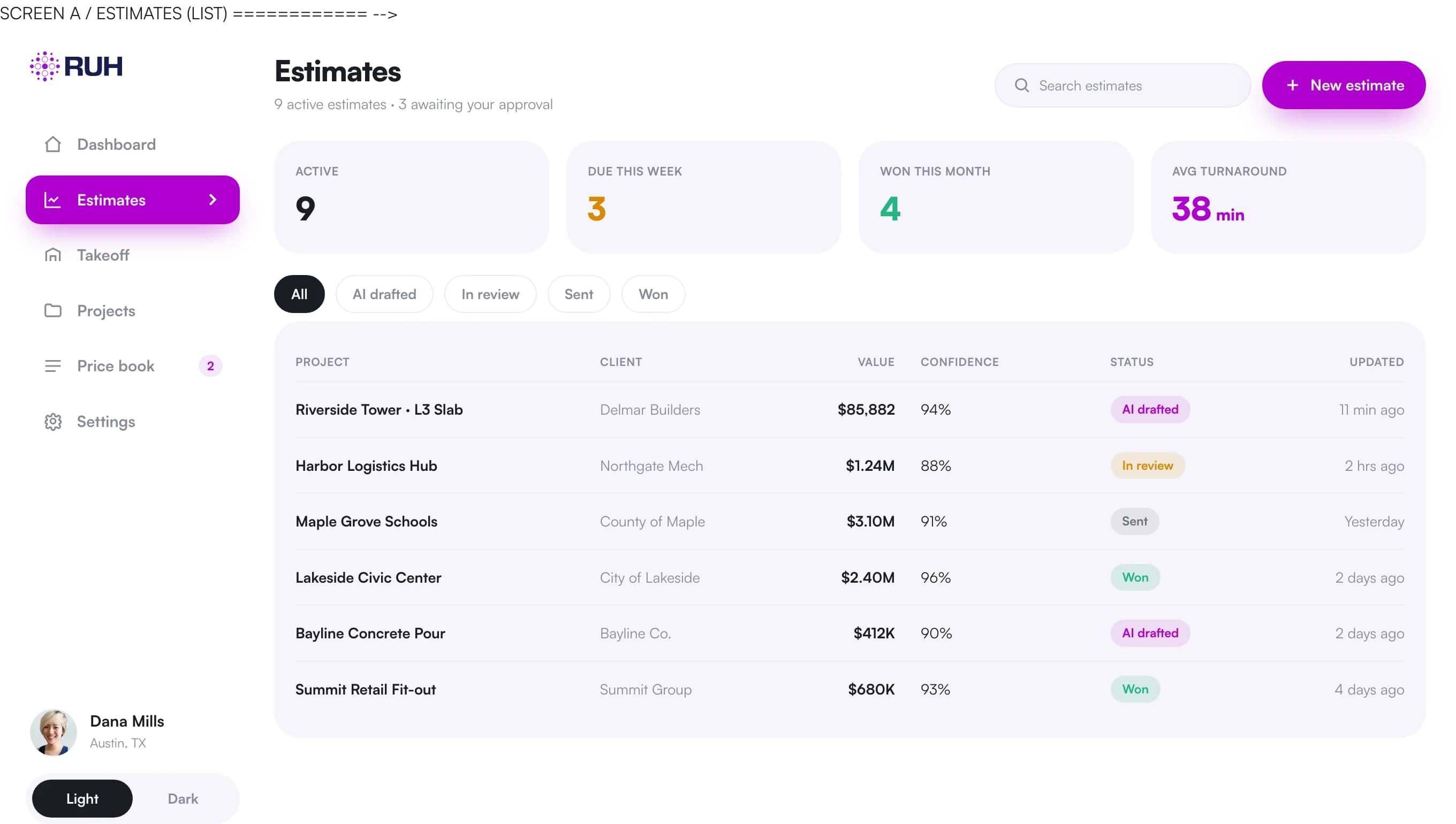
The same pipeline that runs the takeoff runs the pricing, so the number you send out traces back to the sheet it came from.
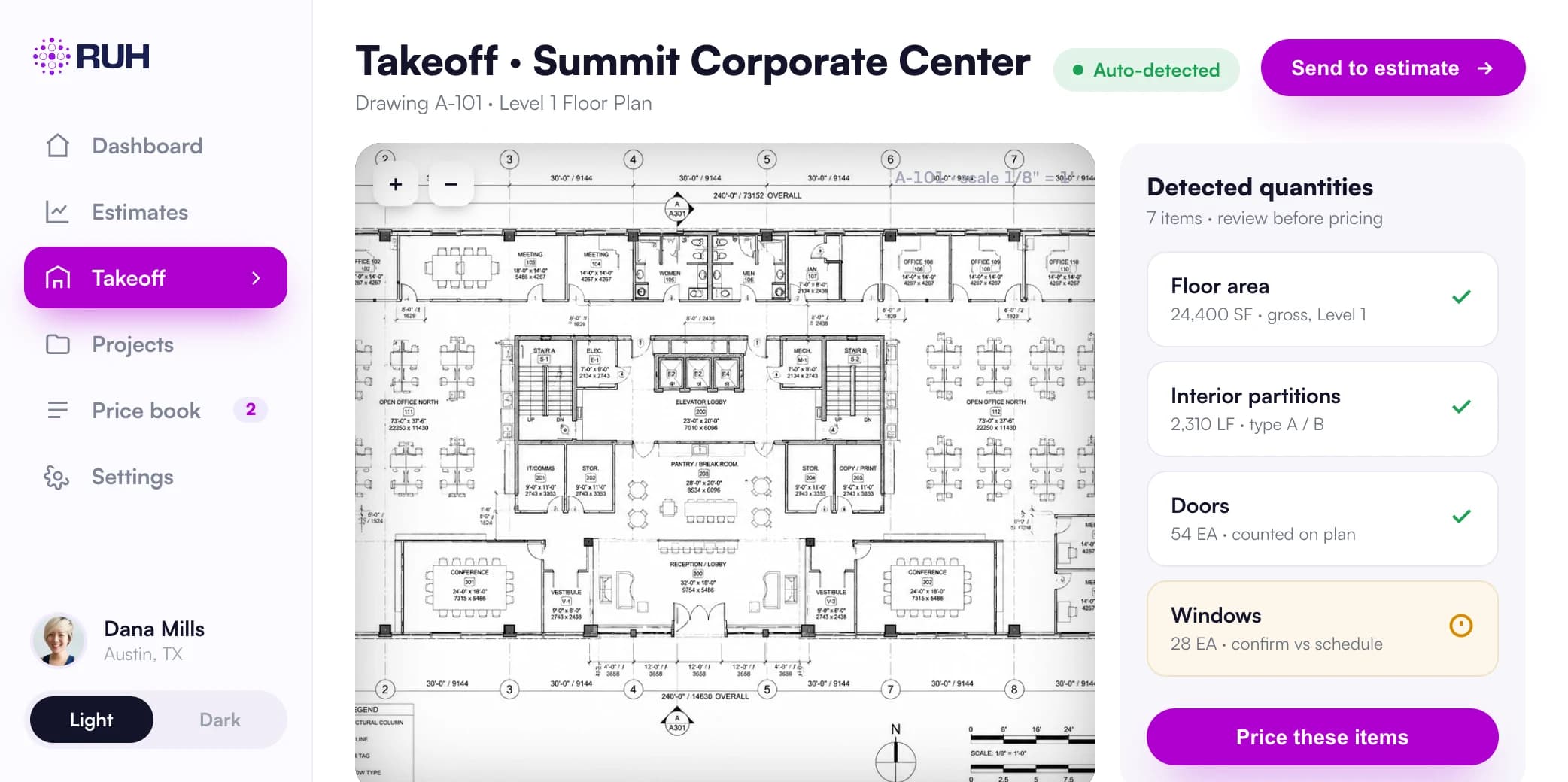
Quantities lifted from the real sheets, each tied to the sheet it came from and checked by a blind second count.
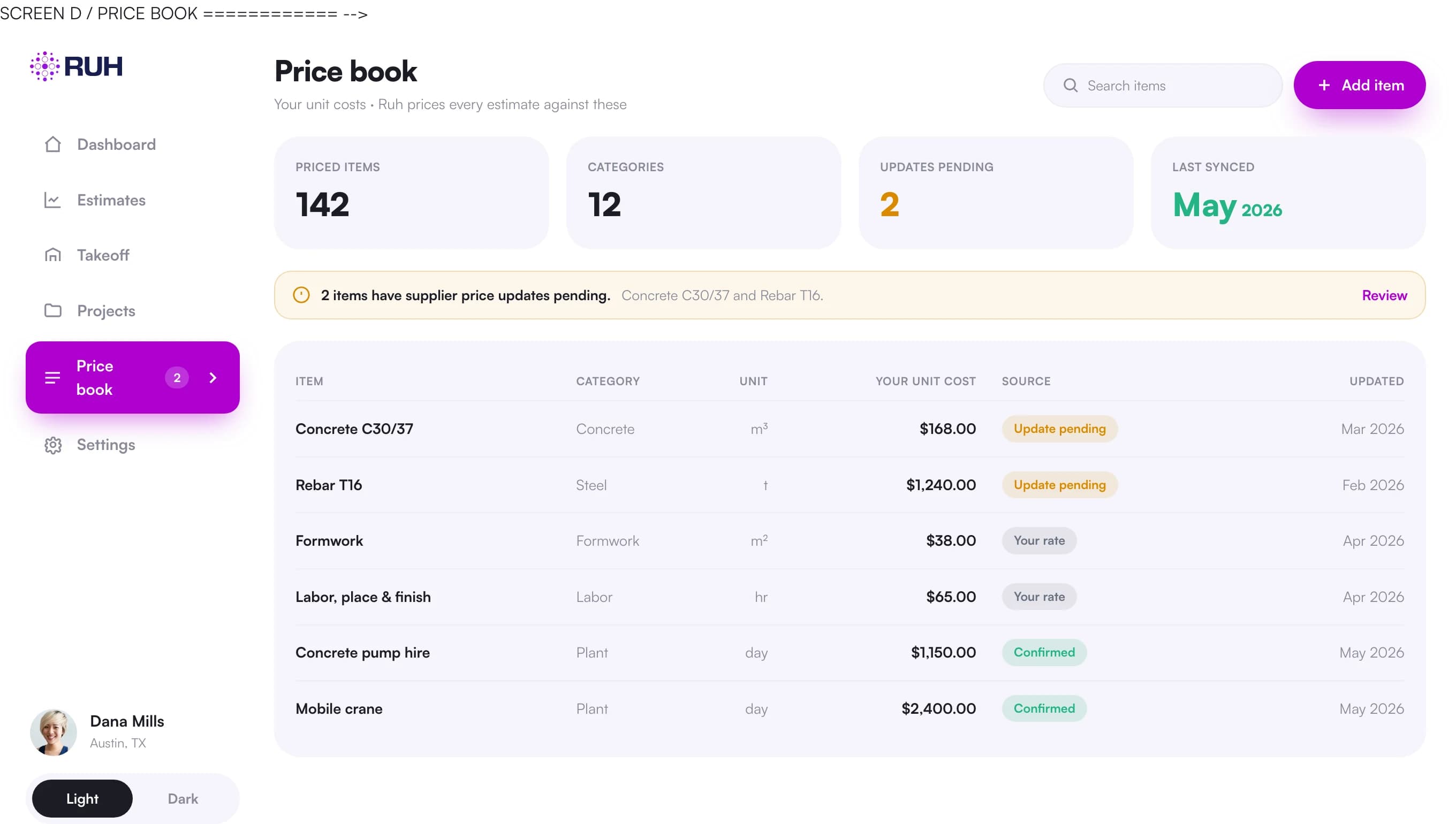
Your own rates and assemblies, not a generic national cost database.
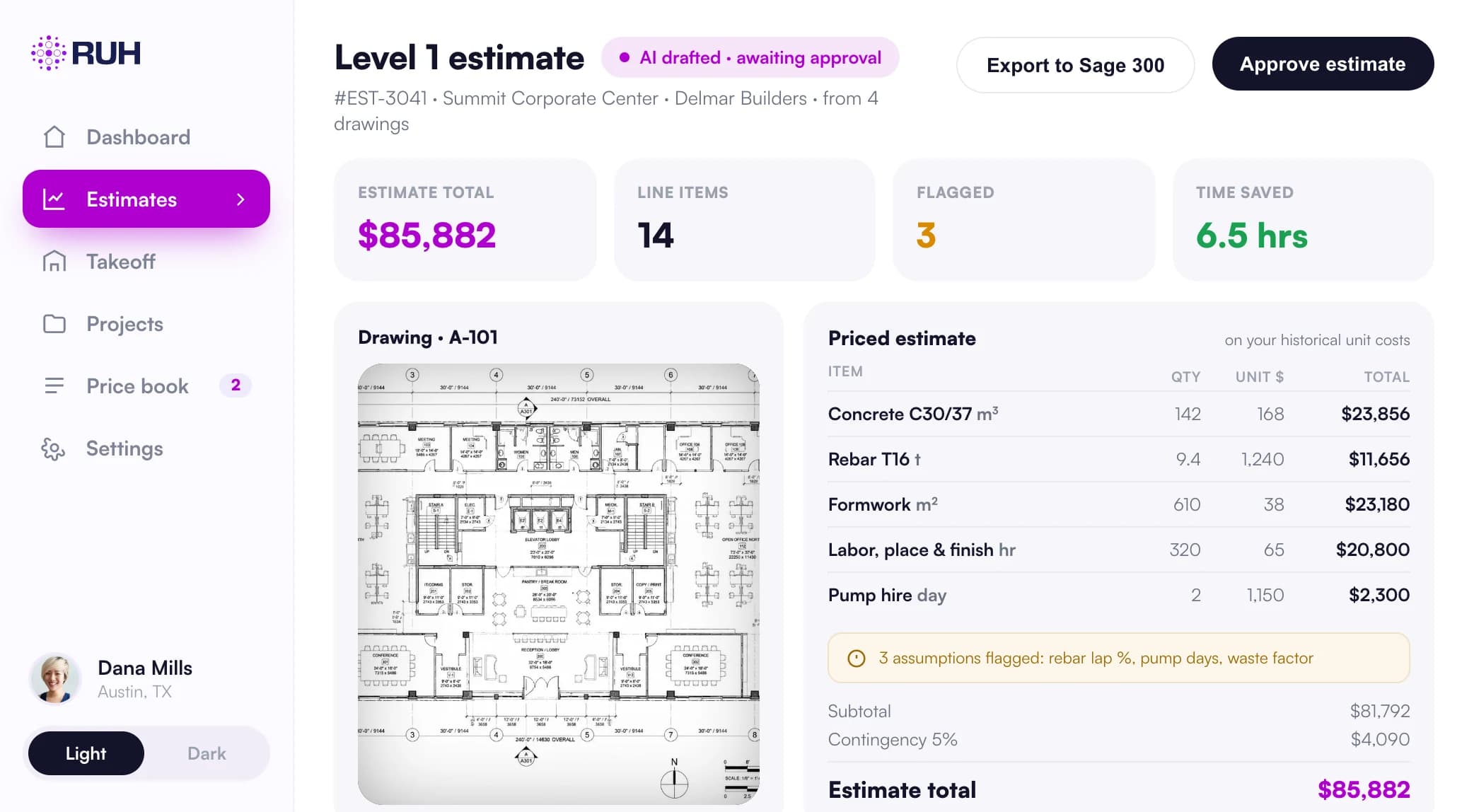
Every line traceable back to the sheet it came from before anything goes out.
Structural Steel Takeoff Software: What It Counts and Measures.
| Item | Unit | How it is measured and priced |
|---|---|---|
| Beams | tons | Length per mark times lb/ft from the shape table, summed by W shape, converted to tons and priced at the fabricated beam rate |
| Columns | tons | Wide flange and HSS column lengths times weight per foot, rolled up to tons, priced separately because column fabrication differs from beams |
| Braces | tons | HSS and angle bracing measured by length and lb/ft, kept as its own tonnage line so brace labor is not averaged into beams |
| Connections | ea | Shear tabs, clip angles, and moment connections counted each by type, priced on shop labor plus connection material, not folded into member tonnage |
| Baseplates | ea | Counted each by size and thickness; plate weight and welding drive the per-each price at the column bases |
| Anchor bolts | ea | Counted each by diameter and embedment from the anchor bolt plan, priced as material plus setting labor |
| Metal deck | sf | Square feet off the framing plans by deck type and gauge, net of large openings, priced per sf installed |
| Shear studs | ea | Counted each from the composite beam callouts, priced as material plus field welding per stud |
| Miscellaneous shapes | lf | Channels, angles, and plate edge measured in linear feet by shape, converted to weight for pricing where sold by the ton |
| Shop vs field split | assembly | Each member assembly tagged shop (fabrication) or field (erection) so the correct labor rate and crew apply to that line |
Structural Steel Estimating Programs for Fabrication and Erection Scope
Structural steel estimating programs have to carry two scopes off the same set: the shop work that fabricates the steel and the field work that erects it. Ruh does not settle that with one summary line. Every member assembly carries a shop (fabrication) or field (erection) tag as the takeoff is built, so the right labor rate and crew land on the line itself rather than on the package. The two rates are separate entries in your own book, a fabricated tonnage rate and an erection rate, and if you change either one the estimate reprices on your own numbers. That is the part steel erection estimating software has to get right: erection labor is bid by the ton at the erection rate, a different number from the fabricated tonnage rate the shop lines carry, and neither one can stand in as a blended average of the other.
What to Look for in the Best Structural Steel Estimating Software
The best structural steel estimating software is the one that holds the lines a steel bid actually turns on, and the same test applies to any structural steel bidding software you put next to it. Tonnage should come from member lengths and shape weights so beams, columns, and braces price on their own rates instead of one blended number, since column fabrication differs from beams and brace labor should not be averaged in. Connections, baseplates, and anchor bolts should survive as each counts, each priced with the shop labor and material it carries, because folding them into a blanket allowance hides real money. Every assembly should carry a shop or field tag, and the rates should be the ones your own book carries, not a vendor's cost catalog. Every quantity should name the mark or the sheet it was measured from, so checking it means opening the drawings rather than trusting the tool, and the priced output should land in the format your team already bids from instead of forcing a second round of data entry. Steel estimating solutions that miss any of those hand you a number your estimator cannot check before it goes out.
A Worked Structural Steel Example
Small steel package: 18 tons of beams and columns plus connections and deck. Members: 18 tons at a fabricated and delivered rate of $4,200/ton = $75,600. Connections: 64 shear tabs and clips at $85 each = $5,440. Baseplates: 12 each at $140 = $1,680. Anchor bolts: 48 each at $9 = $432. Metal deck: 6,500 sf at $3.20/sf installed = $20,800. Shear studs: 540 each at $1.75 = $945. Erection labor: 18 tons at $900/ton = $16,200. Subtotal: $75,600 + $5,440 + $1,680 + $432 + $20,800 + $945 + $16,200 = $121,097. Apply 12% overhead and profit: $121,097 times 1.12 = $135,628.64. The members carry the bid, but the connections, deck, and erection labor add $45,497 before markup, which is exactly the scope a tonnage-only takeoff leaves on the table.
Bidding Structural Steel Work This Month? Book a 30-minute walkthrough of a takeoff on a real plan.
Book a walkthrough
How Ruh Runs as Steel Estimator Software.
Ruh ingests the structural drawings and member schedule, then builds the takeoff line by line: tonnage by member type from lengths and lb/ft, connections and baseplates as each counts, deck in square feet, studs and anchor bolts each, with every assembly tagged shop or field. It prices each line against your own price book, your tonnage rates, your per-each connection and baseplate costs, your deck and erection labor, so the numbers are yours and not a generic database. The estimator reviews the extracted quantities against the drawings, checks the shop versus field split and the connection counts, and adjusts any rate before approving. Nothing goes out as a bid until the estimator signs off on the priced estimate.
Try Ruh on a real bid. 100% money-back guarantee if you are not satisfied.*
*Scoped delivery, terms apply. Read the guarantee terms
Structural Steel Estimating Software FAQs
How accurate is the AI takeoff on tonnage and connection counts?+
The AI extracts member lengths and shapes from the schedule and plans, applies lb/ft to get tonnage, and counts connections, baseplates, anchor bolts, and studs as each items. It is built to be reviewable: every quantity ties back to a member mark or plan location so the estimator can verify it against the drawings rather than trust a black box. You are checking a takeoff, not guessing whether the software was close.
Does it price from my price book or someone else's database?+
Yours. Ruh prices tonnage rates, connection and baseplate costs, deck per sf, stud and anchor bolt rates, and shop versus field labor from your own cost data. If you change a fabricated tonnage rate or an erection rate, the estimate reprices on your numbers. There is no hidden national average steering the bid.
Can it work with the takeoff and estimating tools we already use?+
Ruh produces a structured, line by line takeoff with quantities, units, and priced extensions that you can review and export, so it fits alongside the spreadsheet or estimating system your shop already runs on. It is meant to do the measuring and first pass pricing, not force you to abandon the workflow your estimators trust.
What stays in the estimator's hands?+
Judgment and the final number. The AI measures and prices, but the estimator reviews the extracted tonnage, the connection and baseplate counts, the deck and stud quantities, and the shop versus field split, then adjusts rates and approves. The bid does not leave the office until a human estimator has signed off.
Does Ruh handle steel fabrication estimating?+
Yes. The fabrication side prices on your own fabricated tonnage rates, and the shop labor sitting in the connections and baseplates stays visible as its own each count instead of disappearing into the member tonnage. Structural steel fabrication estimating software is only worth running if that shop labor survives the takeoff, and here it does. The estimator checks the shop versus field split against the drawings before the bid is approved.
Doing the structural steel takeoff itself?
The quantities side has its own page: counts, measures, and how the AI takeoff reads your drawings.
Structural Steel Takeoff SoftwareStructural Steel Terms in the Glossary.
Figures on this page are illustrative. Construction estimates depend on project-specific conditions, source documents, market pricing, and professional judgment. Ruh's AI assists the estimator and does not replace professional review: your team reviews, validates, and approves every estimate, bid, and pricing decision.
Try Ruh on a structural steel bid you are pricing now.
Put us on real work rather than a canned demo. Ruh reads your drawing set, measures the scope, and prices the quantities against your own rates, with every line traceable back to the sheet it came from. If it does not hold up, you are covered by the guarantee below.
- 1Tell us about a bid you are working on and the trade you are pricing
- 2Ruh measures that scope from your drawings and prices it on your own rates, not generic cost data
- 3Every quantity traces back to the sheet it was measured from, so your estimator can check the work
Run Your Next Structural Steel Bid on Ruh.
Send one structural steel set. We run the takeoff and walk you through the quantities, the units, and the pricing on a 30 minute call. If it does not hold up against your estimator, you have lost nothing.