
Demolition estimating software that prices on your numbers.
Demolition estimating software turns demolition plans and existing-conditions drawings into a priced bid, and Ruh does it with removals measured by material, anything marked to remain kept out of the count, and every line priced on your crew rates through 13 starting demolition recipes you can edit. Below: the demolition takeoff table, a worked example priced line by line, and the questions demolition estimators ask.
- ✓Selective interior demo area, measured sf
- ✓Structural demo area, measured sf
- ✓Slab and pavement removal, measured sf
Free walkthrough on your own plans. Your estimator signs off.
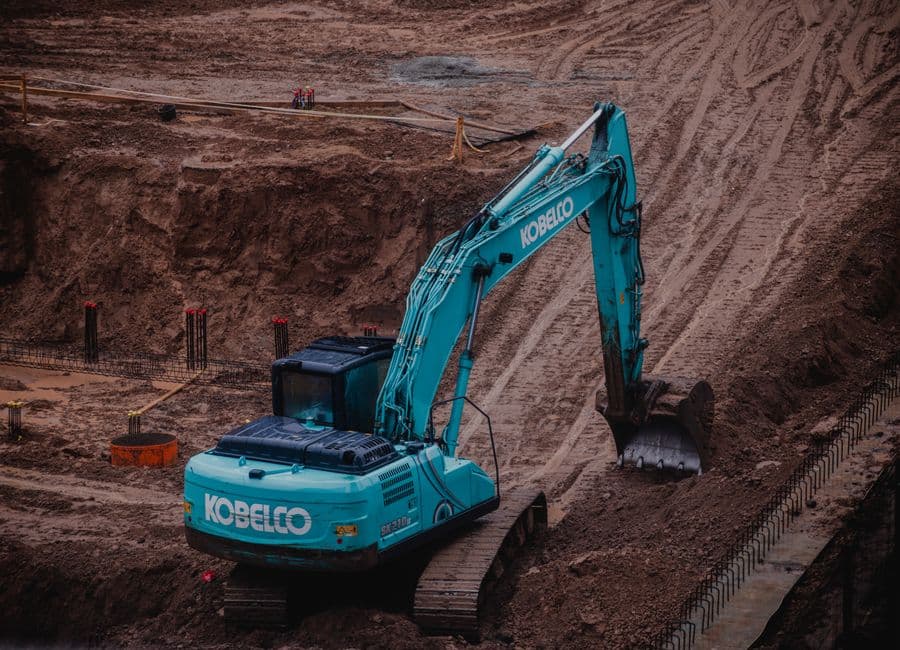
The Demolition Estimating Problems This Solves.
Debris Volume and Disposal Loads Get Guessed, Not Measured
Disposal is one of the largest line items on a demo job, and it lives or dies on cubic yards. When you eyeball volume from a floor plan instead of building it up by assembly, you either pad the dumpster count and lose the bid or undercount and eat the overage on tipping fees. Converting demo area to loose debris cy, then to pull counts, is tedious math that rarely gets redone when scope changes.
Selective Versus Structural Demolition Estimating Software Has to Split the Scope Cleanly
A demo plan rarely draws a clean line between what comes down by hand and what needs structural removal with shoring or heavy equipment. Selective interior demo, slab saw-cutting, and full structural takedown all price differently, and mixing them into one square-foot number hides where the real labor and risk sit. When the architect revises the keep-or-remove notes, that whole split has to be re-sorted by hand.
Hazmat and Abatement Carve-Outs Blur the Scope Line
Asbestos, lead paint, and contaminated soil are usually somebody else's scope, but the demo estimate still has to fence them off cleanly and carry the right allowances. Miss a carve-out and you have priced abatement you are not licensed to do, or you have left a hole where the abatement sub plugs in. Tracking which areas are excluded, which carry an allowance, and which wait on a survey is easy to lose across a revision cycle.
From Your Demolition Drawings to a Priced Line.
The same pipeline that runs the takeoff runs the pricing, so the number you send out traces back to the sheet it came from.
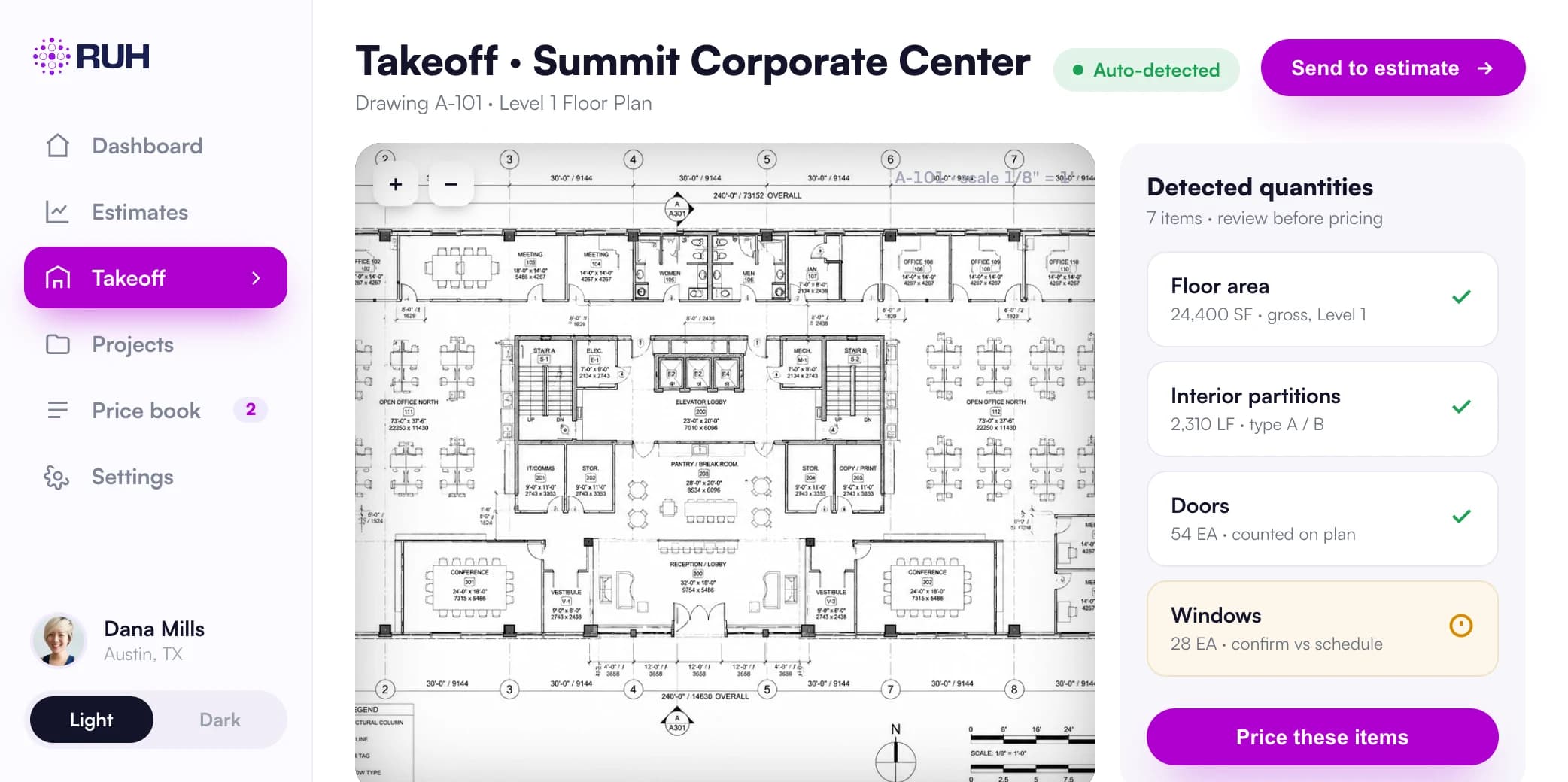
Quantities lifted from the real sheets, each tied to the sheet it came from and checked by a blind second count.
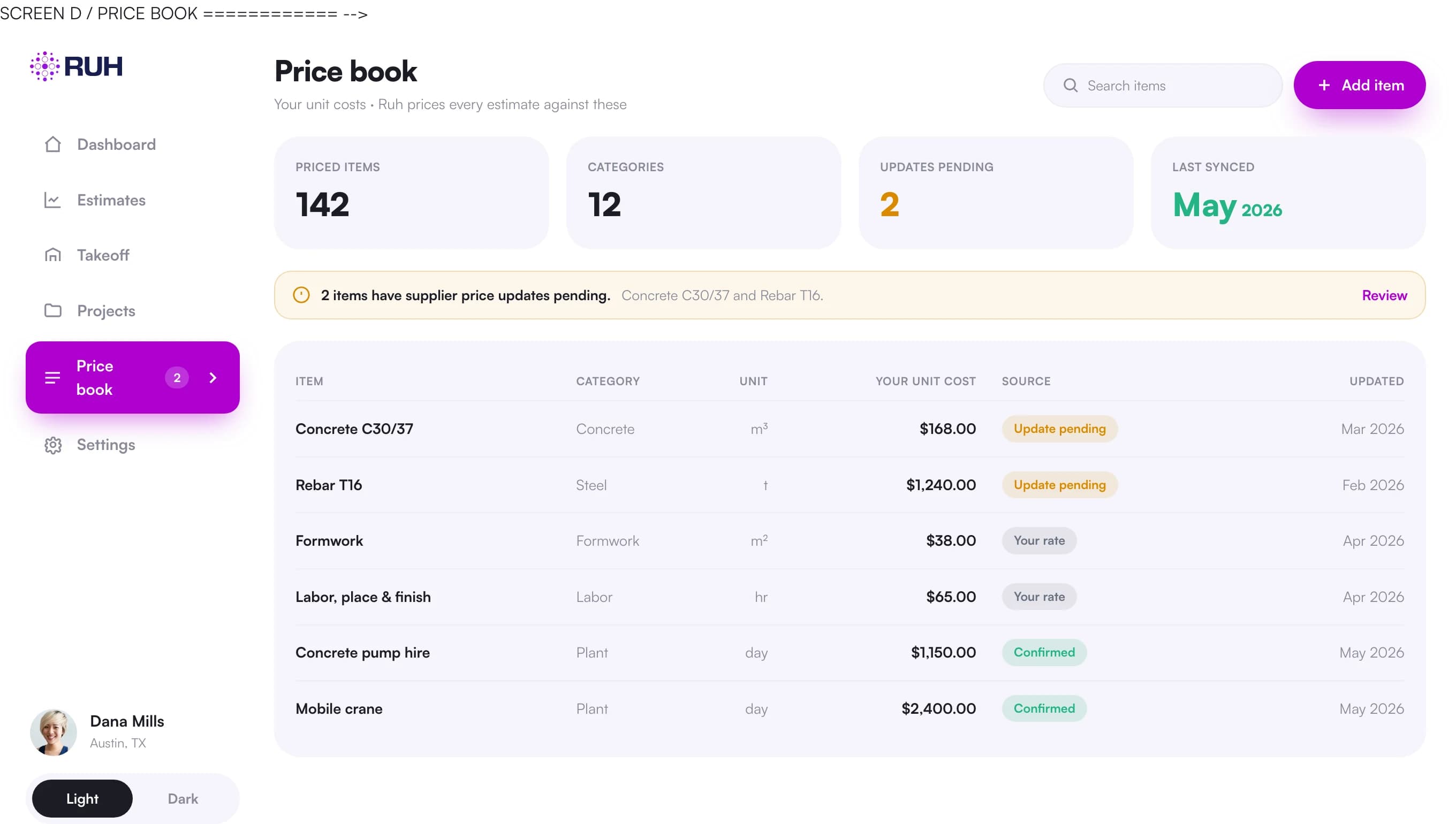
Your own rates and assemblies, not a generic national cost database.
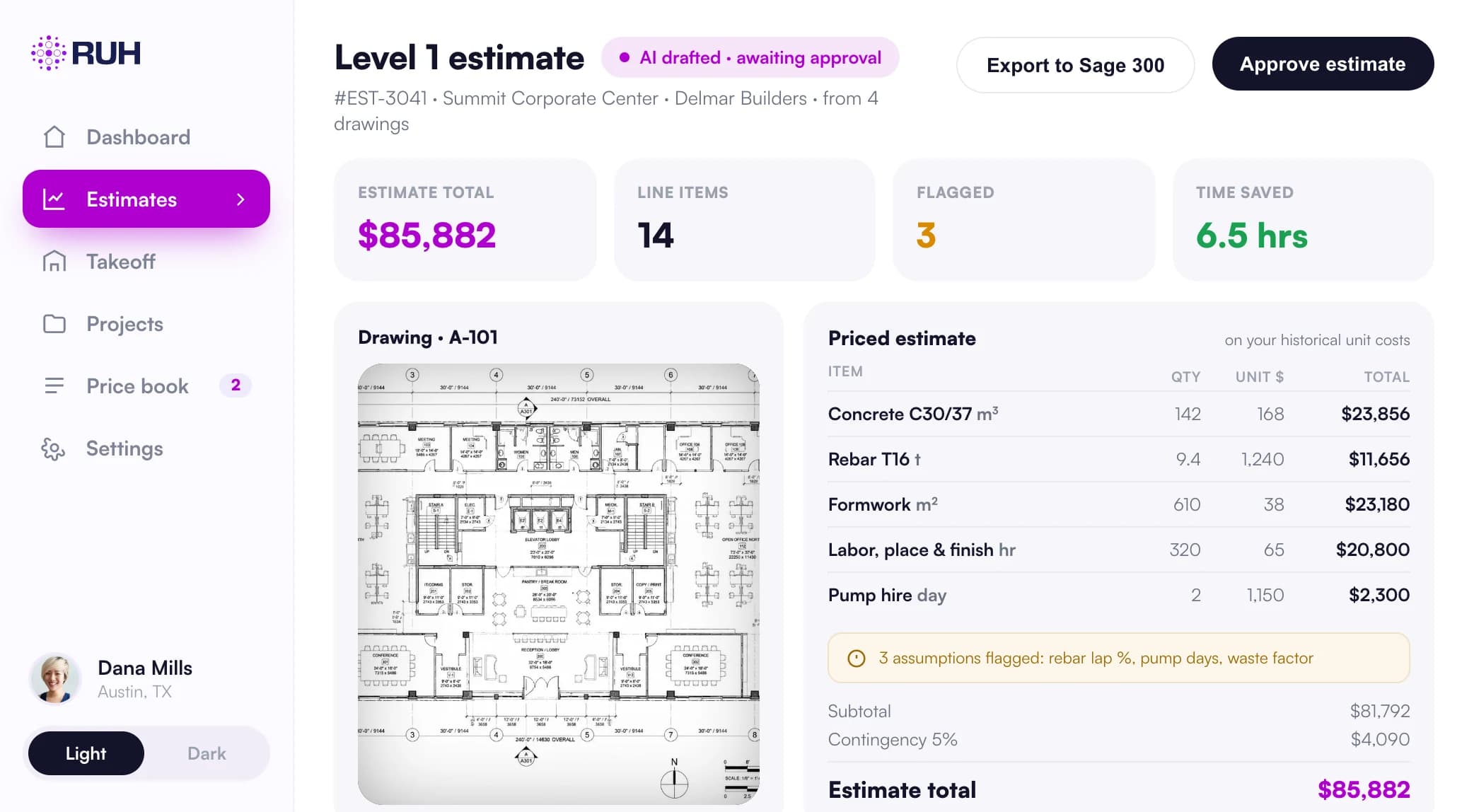
Every line traceable back to the sheet it came from before anything goes out.
What Demolition Takeoff Software Counts and Measures
| Item | Unit | How it is measured and priced |
|---|---|---|
| Selective interior demo area | sf | Measured by room or zone off the demo plan, priced per sf by partition and finish type; non-structural walls, ceilings, flooring removed by hand or small equipment |
| Structural demo area | sf | Measured separately from selective; priced higher per sf to cover shoring, heavy equipment, and engineered sequencing |
| Slab and pavement removal | sf | Measured by thickness and reinforcement; saw-cut perimeter taken as lf, broken-out slab priced per sf and rolled into debris weight using material weight per sf |
| Debris weight | ton | Calculated from demo area and material weight per sf in the starting recipes; loose volume applies where your own recipe uses a swell factor |
| Dumpster and haul loads | ea | Haul priced by the load; tipping fees priced by the ton of debris |
| Salvage credits | ea or lot | A credit for reusable steel, fixtures, or equipment is a line the estimator adds to the bid |
| Saw-cutting and core drilling | lf or ea | Saw-cut runs measured in lf by depth; cores counted ea by diameter; priced as separate operations from bulk removal |
| Hazmat/abatement carve-out areas | sf or allowance | Flagged areas excluded from demo scope or carried as a dollar allowance pending survey; kept off the priced removal lines |
| Equipment and dump time | hr or day | Excavator, skid steer, and dump trucks priced by duration tied to debris weight, haul loads, and haul distance to the approved facility |
What Demolition Bidding Software Assembles After the Takeoff
Demolition bidding software assembles takeoff quantities into priced lines for labor, equipment, and disposal using your own price book, including tipping fees by the ton and truck time by the load. It carries units for selective interior and structural demolition areas, debris weight and haul loads, saw-cutting, core drilling, and equipment and dump time. A salvage credit or a hazmat allowance is a line your estimator adds; abatement areas themselves are excluded with a reason. Ruh exports the quantities and priced lines into the estimating tool you already use. The worked example reaches a figure before markup, and your estimator reviews and signs every line; the AI never sends a number on its own.
For debris calculations and demolition bid preparation, see the Demolition Debris Calculator, estimating demolition costs and how to bid demolition as a subcontractor.
Demolition Software Categories: Takeoff, Estimating, and Job Management
Demolition software spans distinct layers, and Ruh belongs in the takeoff-plus-estimating layer: it measures your scope, prices it, and exports quantities and priced lines into the estimating tool you already use. Demolition management software serves a different stage after award, running scheduling, dispatch, and job tracking. Ruh does not perform those job management functions. The category boundary is direct: Ruh prepares measured and priced work, while job management tools handle post-award operations.
For category context, STACK groups demolition takeoff and estimating, HCSS describes demolition estimating, and MyQuoteIQ’s demolition contractor roundup covers job management software. These references illustrate the separate software categories; Ruh remains in the takeoff-plus-estimating layer.
A Worked Interior Demolition Example
Small selective interior demo, single tenant suite, the everyday case for interior demolition estimating software. Demo plan shows 4,000 sf of non-structural partition and finish removal at an average debris depth of 0.5 ft, so loose volume is 4,000 sf times 0.5 ft = 2,000 cf, divided by 27 = 74 cy. Apply a 1.4 bulking factor for loose mixed debris: 74 cy times 1.4 = 104 cy. Using 40 cy roll-offs derated to 32 cy effective, that is 104 / 32 = 3.25, round up to 4 pulls. Disposal: 4 pulls times $625 per pull (haul plus tipping) = $2,500. Labor: 4,000 sf at $1.85 per sf = $7,400. Add saw-cutting 60 lf at $12 per lf = $720. Subtotal $2,500 + $7,400 + $720 = $10,620. Salvage credit for reclaimed HVAC units, lot at $400, nets to $10,220 before markup. The estimator confirms the bulking factor, pull count, and that no hazmat area sits inside the 4,000 sf. For an interior job versus a structural one, the estimator adjusts the bulking factor, disposal pull count and hazmat carve-out boundary to match the removal scope.
Bidding Demolition Work This Month? Book a 30-minute walkthrough of a takeoff on a real plan.
Book a walkthrough
How Ruh Runs Your Demolition Estimates.
Ruh reads the demolition plan, existing-conditions drawings, and any abatement survey, measures removal areas by zone, and tags each as selective or structural off the keep-or-remove notes, keeping anything marked to remain out of the count. Disposal is priced through your recipes on your own price book: the 13 starting demolition recipes carry it by weight, from each material's weight per square foot to tipping fees by the ton and truck hours by the load, and a company that prices by loose volume with a swell factor, as in the worked example, sets that up as its own recipe. Areas left to abatement are excluded with a reason, by others, and kept off the priced removal lines. The estimator reviews the split, the weights, and every exclusion, and nothing reaches the bid until the estimator signs off.
Try Ruh on a real bid. 100% money-back guarantee if you are not satisfied.*
*Scoped delivery, terms apply. Read the guarantee terms
Demolition Estimating Software FAQs
How accurate is the demo takeoff, especially debris volume?+
There is no published accuracy percentage. Ruh measures removal areas off the demo plan and counts them 2 times, the second blind, then carries debris by weight in the starting recipes, or by loose volume where your own recipe uses a swell factor, showing the math so your estimator can adjust it for a job that runs heavier or lighter. It is a fast, auditable first pass, not a sealed number.
Does it price from our crew rates and disposal numbers or generic costs?+
Your price book drives every line. Labor per sf, equipment day rates, pull costs, and tipping fees come from your numbers, including your local facility and haul distances. If you have not loaded rates yet, Ruh produces clean quantities you can price in your own system.
Can it work with our current plans and estimating software?+
Yes. Ruh reads standard PDF demo plans and drawing sets, and exports quantities and priced lines you can drop into the estimating tool you already use. You are not replacing your workflow, you are removing the manual takeoff and disposal math in front of it.
What stays with the estimator versus the AI?+
The judgment stays with your estimator: confirming the keep-or-remove scope, checking the debris quantities and haul loads, confirming every abatement exclusion, and signing off on the bid. The AI measures, separates selective from structural, and prices against your book, and it never sends a number on its own.
Demolition Terms in the Glossary.
Figures on this page are illustrative. Construction estimates depend on project-specific conditions, source documents, market pricing, and professional judgment. Ruh's AI assists the estimator and does not replace professional review: your team reviews, validates, and approves every estimate, bid, and pricing decision.
Try Ruh on a demolition bid you are pricing now.
Put us on real work rather than a canned demo. Ruh reads your drawing set, measures the scope, and prices the quantities against your own rates, with every line traceable back to the sheet it came from. If it does not hold up, you are covered by the guarantee below.
- 1Tell us about a bid you are working on and the trade you are pricing
- 2Ruh measures that scope from your drawings and prices it on your own rates, not generic cost data
- 3Every quantity traces back to the sheet it was measured from, so your estimator can check the work
Run Your Next Demolition Bid on Ruh.
Send one demolition set. We run the takeoff and walk you through the quantities, the units, and the pricing on a 30 minute call. If it does not hold up against your estimator, you have lost nothing.