
Quick Answer
A plan room is the place where owners, public agencies, builders exchanges and general contractors post a project's bid documents, the drawings, specifications, addenda and bid forms, so contractors can find the work, download the documents and price it. Most plan rooms are online now. Below are the types of plan room, how subcontractors use them to find projects, how to download a complete set, what to check before you price, a worked example of a missed addendum, a checklist and our view on what subcontractors get wrong.
What you'll find below:
- What a plan room is, and how it moved from a physical room to a website
- Five types of plan room and who runs each one
- Why registering as a plan holder matters more than the download
- What federal bidding rules say about addenda and acknowledging them
- How one late addendum leaves a door bid $16,100 short
- A plan room checklist to run before you price
What Is a Plan Room in Construction?
A plan room in construction is a library of bid documents for projects that are out to bid, run by an owner, agency, contractor association or general contractor, where bidders view or download the documents they need to price the work. It is the starting point of most bids.
For each project, a plan room lists:
- The project name, location, owner and bid date
- The drawings, the specifications (also called the project manual) and the bid form
- Every addendum issued since the set went out
- The plan holders list, showing who has downloaded the documents
- Pre-bid meeting and site visit details, and where bids go
The plan room gets you the documents. It doesn't tell you whether your set is complete, whether it's current, or which scope your trade owns. Those checks are on the bidder.
How Did Plan Rooms Move From Physical to Online?
Plan rooms started as physical rooms holding printed sets that contractors visited to review or borrow, and most are now websites where the same documents are downloaded as PDFs. The job they do hasn't changed.
In the physical version, a contractor drove to the owner's office, a builders exchange or a reprographics firm, sat with a printed set and took notes, or paid a deposit to take a set away. Addenda were mailed or faxed to the people who had signed for a set.
Online plan rooms post the same documents for download, and most send email notices when an addendum is posted. That speed cuts both ways. Documents are easy to get, and they are just as easy to change after you've downloaded them.
What Types of Plan Rooms Are There?
The five common types of plan room are public agency portals, builders exchanges, GC-hosted plan rooms, subscription services and reprographics plan rooms. Each one reaches different projects, so most subcontractors who bid regularly use more than one.
| Type | Who runs it | What you'll find there | Access |
|---|---|---|---|
| Public agency | A city, county, state agency, school district or federal agency | That agency's own public bids | Free, with registration on most sites |
| Builders exchange | A local or regional contractor association | Public and private projects in its area | Membership, sometimes with a free tier |
| GC-hosted | A general contractor, on its own portal or a bid platform | The projects that GC is bidding | By invitation, sometimes after prequalification |
| Subscription service | A commercial project data company | Projects collected from many sources, with early leads on some plans | Paid subscription |
| Reprographics | A printing firm hired by the owner or architect | The projects it is distributing documents for | Free to view, with paid printing |
Public agency plan rooms are where public work starts. Federal opportunities are posted on SAM.gov, and states, counties and cities each run their own procurement sites. Builders exchanges collect projects for their region and run their own plan room. GC-hosted plan rooms carry private work that never appears publicly, which is why staying on a GC's invite list matters. Our guide on prequalification for subcontractors covers what GCs check before they send invitations.
How Do Subcontractors Use Plan Rooms to Find Projects?
Subcontractors use plan rooms to search for projects that match their trade, size and area, then watch the bid dates and the plan holders list to decide which projects and which general contractors to bid to. The search is the easy part. Choosing well is the hard part.
Filter by trade, location, project size and bid date, and save searches so new projects come to you. On public work, the plan holders list shows which general contractors are bidding, so a subcontractor can send its number to each of them. On private work, an invitation to bid from a GC is usually how you get into its plan room.
Not every project in a plan room is worth bidding. Our guide on how to find construction projects to bid covers building a weekly routine and turning found projects into qualified pursuits.
How Do You Download a Complete Set of Bid Documents?
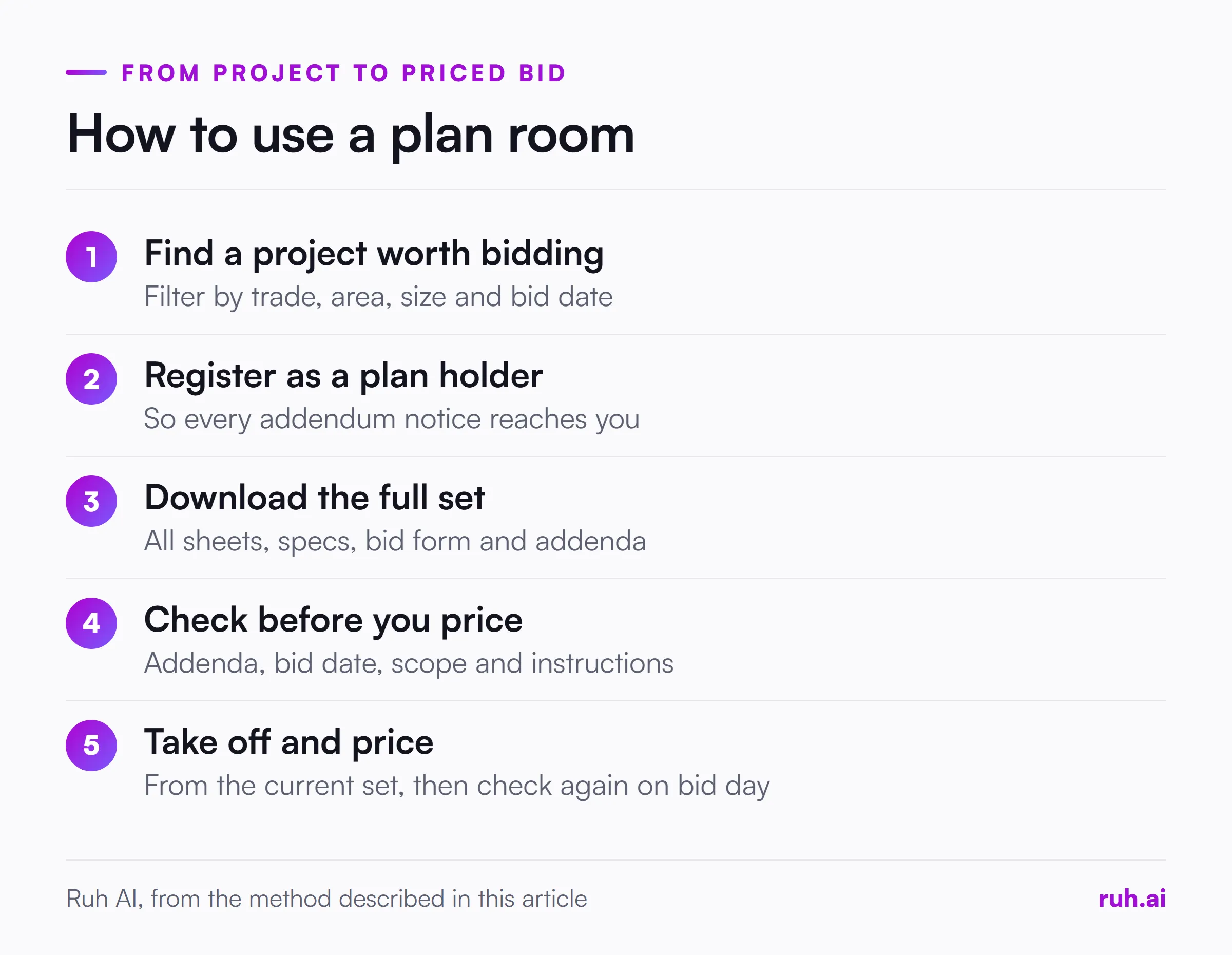
Download the complete set, register as a plan holder, and record the date you downloaded it, because a set without the specs, the bid form or the latest addenda is not a set you can price. Downloading only your trade's sheets is how scope gets missed.
Register as a plan holder before you download. On most plan rooms, registering puts you on the list that receives addendum notices. A set you saved without registering won't tell you when it changes. Federal rules show why this matters: under FAR 14.208, amendments must be sent before bid opening to everyone who received the invitation for bids, and displayed in the bid room. If you aren't on the list, you aren't in "everyone".
A complete download includes:
- Every drawing sheet in the sheet index, across all disciplines, not only your trade's.
- The specifications, including the general and supplementary conditions, the instructions to bidders and your trade's sections.
- The bid form, with any unit prices, alternates and allowances it asks you to fill in.
- Every addendum issued to date, in order.
- Pre-bid meeting minutes and any answers to bidder questions, which are often issued as an addendum.
Then check the set against its own sheet index before you start counting. Our guide on how to read construction blueprints covers checking the index, title blocks and revision dates.
What Should You Check Before You Bid?
Before you price a job from a plan room, check the addenda, the bid date and time, the scope your trade owns, the bid form and the bid instructions. Each one can make a correct number worthless.
Addenda. Confirm you have every addendum, numbered in order, with no gaps. An addendum can change drawings, specs, quantities, the bid date or the bid form. Our post on addenda tracking for estimators covers logging each one and repricing only what changed.
Acknowledgement. Most bid forms ask you to list every addendum you received. On federal work, FAR 52.214-3 requires bidders to acknowledge each amendment, by signing and returning it or listing its number and date on the bid form, among other ways, and the government must receive that acknowledgement by the time and place set for bids. A missing acknowledgement puts the whole bid at risk.
Bid date, time and place. Check them again on bid day. Addenda move bid dates. Note the time zone, the delivery method and who receives subcontractor numbers, which is often the GC's estimator, not the owner.
Scope. Read your trade's spec sections and the general notes, and compare them with the drawings. Work that one document gives your trade and the other doesn't is a question to ask before the bid, not after award.
Bid instructions. Bid bond, required forms, licensing, a mandatory pre-bid meeting or site visit, and any prequalification deadline. Missing one can disqualify a bid however good the price is.
Worked Example: The Addendum That Posted After You Downloaded
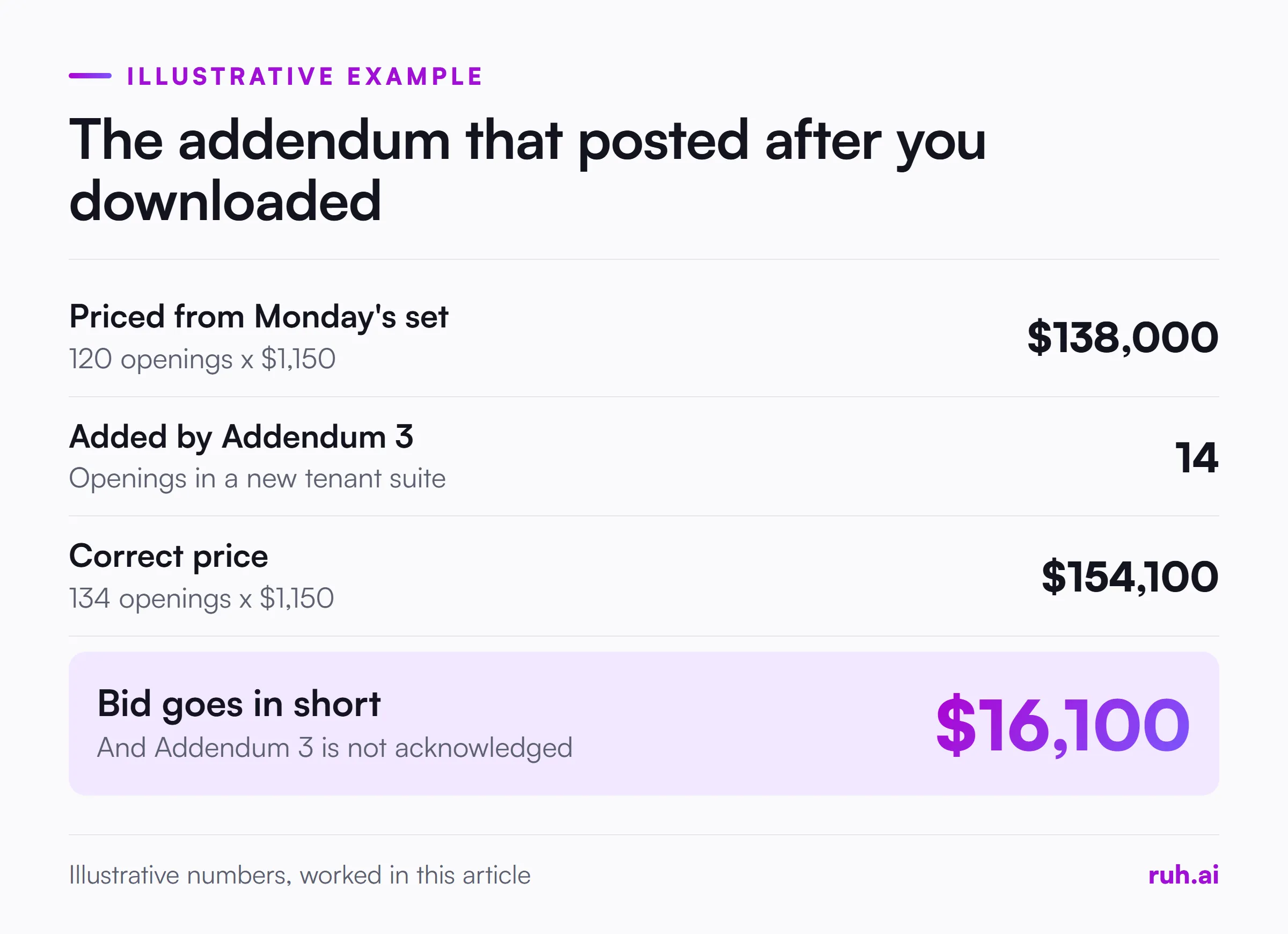
One late addendum is enough to make a careful bid wrong, as this illustrative example shows. Redo it with your own numbers.
A door, frame and hardware subcontractor downloads a set on Monday and prices 120 openings at an illustrative $1,150 installed per opening: 120 x $1,150 = $138,000.
On Wednesday afternoon, the plan room posts Addendum 3. It adds a tenant suite with 14 more openings. The subcontractor saved the set without registering as a plan holder, so no notice arrives.
The correct price is 134 x $1,150 = $154,100. The bid goes in $16,100 short, and the bid form lists Addenda 1 and 2 only. On public work, that missing acknowledgement can cost the bid outright. On private work, the GC either catches it and asks for a revised number on bid day, or carries a short number into award.
Plan Room Checklist Before You Price
Run this before the takeoff starts:
- You are registered as a plan holder, so addendum notices reach you.
- The download date is recorded.
- Every sheet in the sheet index is in your set, across all disciplines.
- The specifications, instructions to bidders and bid form are downloaded.
- Every addendum is in hand, numbered in order with no gaps.
- The bid date, time, time zone and delivery method are confirmed from the latest addendum.
- You know who receives your number, the owner or each bidding GC.
- Your trade's spec sections and general notes have been read against the drawings.
- Mandatory meetings, site visits, bonds, licenses and prequalification deadlines are noted.
- You check the plan room again on bid day for anything posted since.
Common Plan Room Mistakes That Cost Subcontractors Bids
Most plan room mistakes come from treating the download as the finish line. These are the ones to watch for:
| Mistake | What it costs | How to avoid it |
|---|---|---|
| Downloading without registering as a plan holder | Addendum notices never arrive | Register on every project you price |
| Downloading only your trade's sheets | Scope shown on other disciplines' sheets | Download and index the full set |
| Skipping the specs | Products, testing and requirements the drawings don't show | Read your trade's sections and the general conditions |
| Not listing addenda on the bid form | A bid that can be rejected on public work | Acknowledge every addendum by number and date |
| Pricing from a set downloaded weeks ago | Changes made since | Check for addenda before pricing and on bid day |
| Missing a mandatory pre-bid meeting | Disqualification on some public bids | Read the instructions to bidders first |
| Bidding to one GC only | Fewer chances to win the work | Use the plan holders list to find every bidding GC |
From Downloaded Plans to a Priced Bid
Once the documents are out of the plan room and checked, the work moves to reading the set, the takeoff and pricing. The plan room is only the first step.
Read the set in order, take off the quantities, price them from your own rates and assemblies, then review the number and the scope letter before it goes out. Our construction bid process guide walks through each step from document review to submission, and our guide on how to do a construction takeoff covers the quantities.
Keep the downloaded set and the addenda with the bid. If the job is awarded, they are the record of what you priced.
What Subcontractors Get Wrong About Plan Rooms
Four positions on plan rooms, argued as our view, not as data.
The plan holders list is the most useful page in the plan room. It tells you who is bidding, which GCs to send your number to and who else is looking at the job.
A download is a snapshot, not a set. The documents in the plan room keep changing until bid day. Your copy doesn't.
Registration is the real protection. A saved PDF won't warn you about an addendum. A plan holder registration will.
The plan room doesn't define your scope. Your trade's spec sections, the general notes and the bid form do. Read them before you price.
The Honest Assessment: What Still Falls Short
No plan room shows every project. Private work stays in GC-hosted plan rooms and invitations, and public work is spread across many agency sites, so a subcontractor that uses one plan room sees only part of the market.
Plan rooms also differ in how they post addenda and send notices, and bid documents are sometimes incomplete when they first go out. Even a careful bidder can price from a set that changes the day before bids are due.
How Ruh Fits
Ruh AI's Estimating Agent carries your takeoff quantities into a priced estimate using your company's own rate book and assemblies. Any trade with nothing priced gets a labelled allowance line instead of a silent zero.
A person on your team approves every scope line, your team can edit every quantity and price, and a person on your team approves the budget before it moves on. Ruh AI's Takeoff Agent reads the drawing PDFs you download from the plan room and won't give a length or area for a sheet with no scale. Ruh works with your stack, built per customer.
Frequently Asked Questions
Q: What is a plan room in construction? A: A plan room is where an owner, public agency, builders exchange or general contractor posts a project's bid documents, including the drawings, specifications, addenda and bid forms, so contractors can find the project, download the documents and price the work.
Q: Are plan rooms free? A: Some are. Public agency plan rooms are usually free with registration, and GC-hosted plan rooms are free to invited bidders. Builders exchanges usually charge membership, and commercial subscription services charge a fee.
Q: What is a plan holders list? A: It is the list of companies that have registered for or downloaded a project's bid documents. Being on it means addendum notices reach you, and reading it shows which general contractors are bidding the job.
Q: How do subcontractors get into a GC's plan room? A: Usually through an invitation to bid from the general contractor, which often follows prequalification. Staying on a GC's bid list, and responding to its invitations, keeps you in its plan room for future projects.
Q: What should you check before bidding from a plan room? A: Check that you have every addendum, the current bid date and time, the full drawing set and specifications, your trade's scope in the specs and drawings, and the bid instructions, such as bonds, forms and mandatory meetings.
Q: What happens if you miss an addendum? A: Your price may not match the current documents, and on public work a bid that doesn't acknowledge every addendum can be rejected. Under FAR 52.214-3, federal bidders must acknowledge each amendment by the time set for receipt of bids.
See how Ruh prices your takeoff from your own rate book on the construction estimating software page.