
Quick Answer
A lighting fixture schedule is the table in an electrical drawing set that defines every fixture type on the job, its tag, description, manufacturer and catalog number, lamp or driver, voltage, mounting and remarks, so estimators can count each type on the plans and price it. Below are a column-by-column guide to the lighting fixture schedule, what the schedule leaves out, how to count and reconcile fixture types against the plans, how to price material and labor per type, a worked fixture-type summary with the arithmetic shown, a pre-bid checklist and our view on what estimators get wrong.
What you'll find below:
- The eight columns on a lighting fixture schedule, and what each one changes in the price
- Six things the schedule doesn't tell you, and where to find them
- How to reconcile plan counts against schedule rows
- A worked fixture summary of four types, and the $1,140 one missed remark costs
- A pre-bid checklist for lighting scope
What Is a Lighting Fixture Schedule?
A lighting fixture schedule is a table, usually on an electrical schedules sheet or the lighting plan, with one row for each lighting fixture type used on the job. Each type has a tag, such as A, B or X1, and that tag appears on the plans wherever the fixture goes.
The schedule tells you what each type is. The plans tell you how many there are and where. An estimator needs both, because the schedule without a count prices nothing, and a count without the schedule prices the wrong fixture.
One misread row repeats across the whole job. A tag that appears 120 times on the plans carries any error in its schedule row 120 times.
How Do You Read a Lighting Fixture Schedule, Column by Column?
Read the lighting fixture schedule one column at a time, because each column changes either the fixture you buy or the labor to install it. The column names vary between designers, but the content is consistent.
The eight columns on a lighting fixture schedule, and how each affects the estimate:
| Column | What it tells you | How it changes the price |
|---|---|---|
| Type or tag | The label used on the plans | Links the schedule row to every plan count |
| Description | What the fixture is, such as 2x4 troffer or recessed downlight | Sets the fixture family and rough cost |
| Manufacturer and catalog number | The specified product | Sets the exact price, and what a supplier quotes |
| Lamp or driver | LED module, driver type, dimming | Dimming drivers and special modules cost more |
| Voltage | For example 120V or 277V | Must match the circuits, and affects the driver |
| Mounting | Recessed, surface, pendant, wall or pole | Drives labor, supports and accessories |
| Remarks | Emergency battery, sensors, finishes, special notes | Adds cost that the description doesn't show |
| Wattage or lumens | Light output and load | Used to check the circuit load, not usually priced directly |
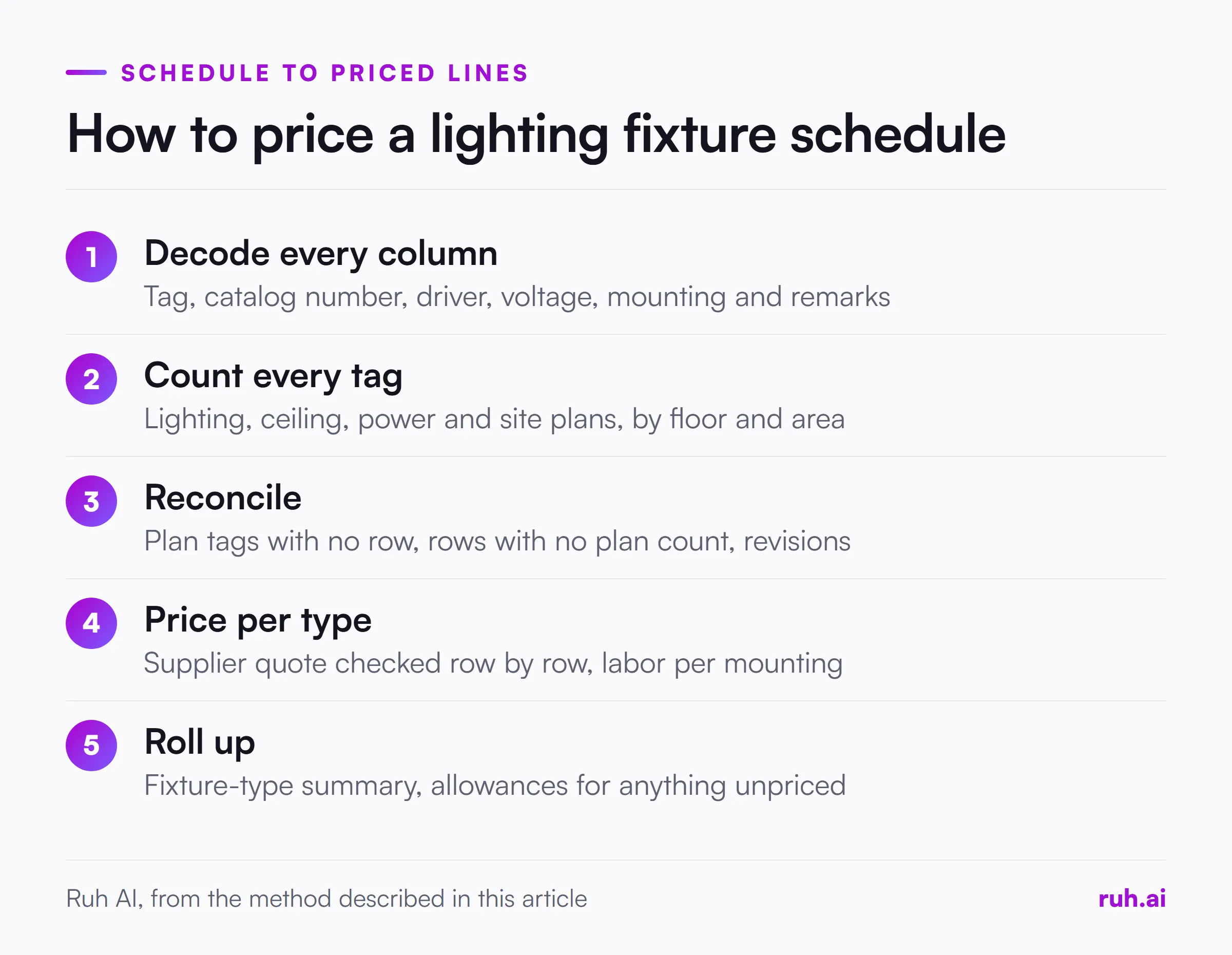
The remarks column is the one estimators skim, and it's where emergency batteries, integral sensors and special finishes hide.
What Does the Lighting Fixture Schedule Not Tell You?
The lighting fixture schedule doesn't tell you who supplies the fixtures, whether substitutes are allowed, or where the controls are, so read the specs and other sheets before pricing. These gaps change scope more than any single row.
Six things the schedule leaves out, and where to find them:
| Gap | Why it matters | Where to look |
|---|---|---|
| "Or equal" language | Whether you can price a substitute | Lighting spec section |
| Owner-furnished fixtures | You may install but not buy them | Specs, bid form, schedule notes |
| Emergency and battery options | Adds cost per fixture | Remarks column, emergency lighting plan |
| Lighting controls | Sensors, dimming and control panels are separate scope | Controls schedule, lighting control spec |
| Supports and accessories | Pendant kits, seismic wires, plaster frames | Details, specs, the mounting column |
| Revisions since the last issue | Types added, deleted or changed | Revision clouds and the addendum narrative |
How Do You Count Fixture Types From the Plans?
Count fixture types by searching each tag on the lighting plans and reflected ceiling plans, by floor and area, and record the count per type. Count every tag, even ones that look like near-duplicates, because A and A1 are different fixtures.
Some ceiling fixtures appear only on the reflected ceiling plan, and wall-mounted and exterior fixtures sit on the power or site plans. Our guide on how to read electrical blueprints covers the legend, scale and "typical" notes that apply to every fixture count.
How Do You Reconcile Plan Counts Against the Schedule?
Reconcile by checking that every tag on the plans has a schedule row and every schedule row has a plan count, and resolve each mismatch before you price. Mismatches are common, and each one is either a missing price or a wasted one.
Three mismatches to look for:
- Types on the plans with no schedule row. You can count them but not price them. Carry them as a labelled allowance and send a question to the designer.
- Types in the schedule with no plan count. Either the type was deleted from the plans or it sits on a sheet you haven't checked. Find out which.
- Revisions between issues. A type changed in an addendum may still carry its old description in a schedule you printed earlier.
How Do You Price Material per Fixture Type?
Price material per fixture type by getting a supplier quote on the lighting package, listed by tag and catalog number, and filling any gaps from your own dated price files. Lighting is usually quoted as a package, so the quote and the schedule should match row for row.
Check the quote against the schedule before you use it. Suppliers sometimes quote a substitute, skip an emergency option or leave out lamps or controls. Any type with no price yet goes in as a labelled allowance with a note, never as a blank line that prices at zero.
How Do You Build Labor per Fixture Type?
Build labor per fixture type by starting from your labor unit for the fixture and adjusting for the mounting, the ceiling type and the access each one needs. A 2x4 troffer dropped into a lay-in grid at 9 feet takes far less time than the same fixture in a hard ceiling or a pendant at 20 feet.
The adjustments that move lighting labor most are mounting height, ceiling type, pendant and whip assemblies, and the lifts or scaffolding the work needs. Our post on NECA labor units covers how to start from a published unit and correct it with your own job history.
Price the connection method as its own item. A fixture fed by a prefabricated whip installs differently from one hard-wired in conduit, and a pendant needs its stem or cable kit hung and leveled before the fixture goes up. Exterior and pole fixtures bring bases, trenching and sometimes a crane, which belong on the estimate as separate lines, not buried in a per-fixture labor figure.
Worked Example: A Fixture-Type Summary
A fixture-type summary carries each type's count and unit material cost into one table, and this illustrative example shows how one missed remark changes the total. Redo it with your own counts and supplier quote.
A floor has four fixture types. The schedule's remarks column shows that Type A1 is Type A with an emergency battery. Using illustrative prices:
| Type | Description | Count | Unit material | Extension |
|---|---|---|---|---|
| A | 2x4 LED troffer | 120 | $145 | $17,400 |
| A1 | Type A with emergency battery | 12 | $240 | $2,880 |
| B | Recessed downlight | 60 | $85 | $5,100 |
| X | Exit sign | 18 | $65 | $1,170 |
| Total | $26,550 |
Each extension is count times unit cost: 120 x $145 = $17,400, 12 x $240 = $2,880, 60 x $85 = $5,100 and 18 x $65 = $1,170. The total is $26,550.
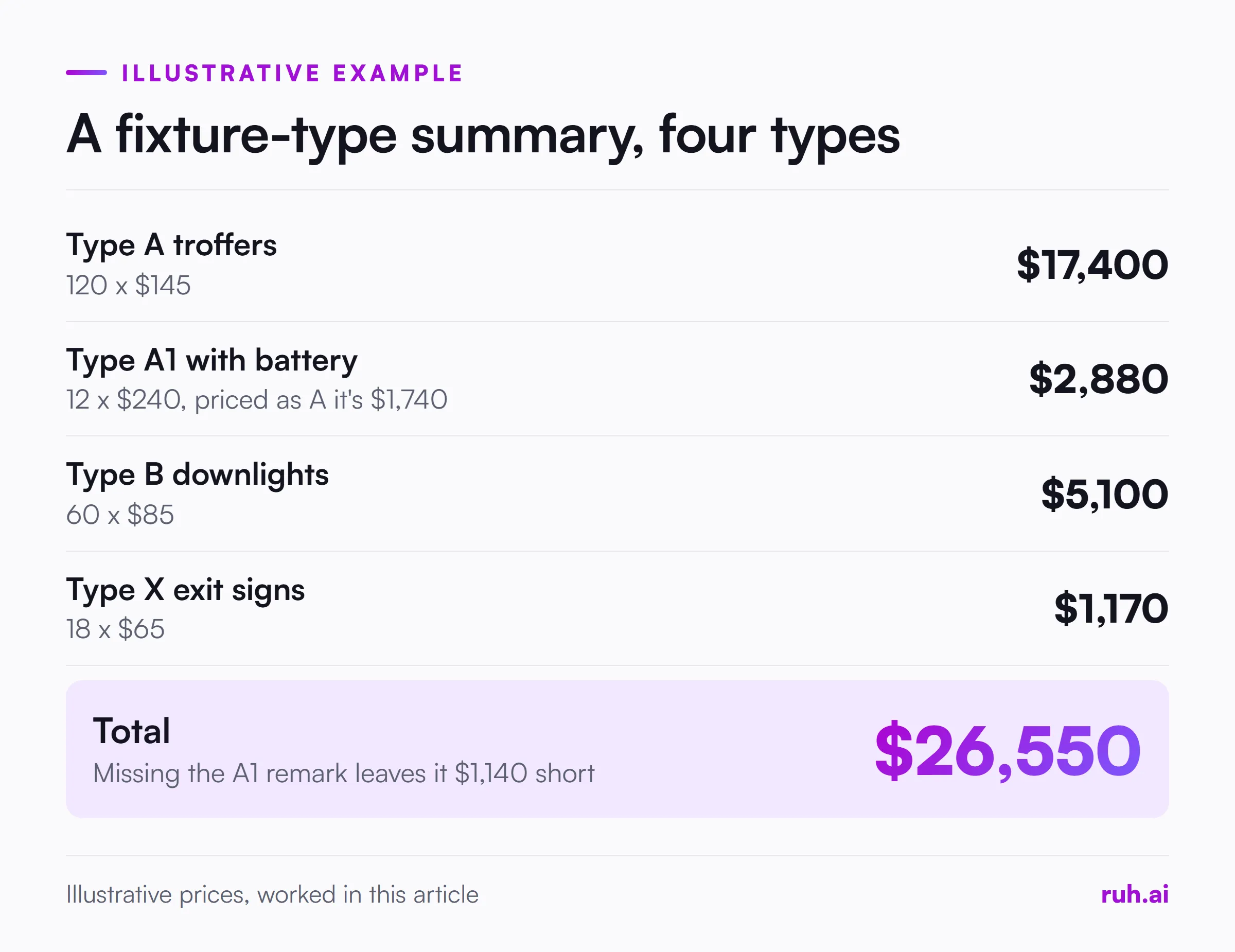
Now miss the remark and price the 12 A1 fixtures as plain Type A: 12 x $145 = $1,740 instead of $2,880. The floor prices at $25,410, which is $1,140 short, and the emergency batteries still have to be bought and installed.
Pre-Bid Lighting Checklist
Run this before lighting goes into the bid:
- Every column of the schedule has been read, including remarks.
- Every tag on the plans has a schedule row.
- Every schedule row has a plan count, or a note on why it doesn't.
- The reflected ceiling, power and site plans have all been counted.
- Emergency, battery and sensor options are priced as their own types.
- The supplier quote matches the schedule row for row, with no silent substitutes.
- Owner-furnished fixtures are install-only.
- Lighting controls are priced, or confirmed as someone else's scope.
- Labor is adjusted for mounting, ceiling type and access, per type.
- Every type without a price is a labelled allowance, never a zero.
What Estimators Get Wrong About Lighting Fixture Schedules
Four positions on lighting fixture schedules, argued as our view, not as data.
The remarks column is where the money hides. Description and catalog number get read. Remarks get skimmed, and remarks carry the batteries, sensors and finishes.
A1 is not A. Near-duplicate tags exist because the fixtures differ. Count and price them separately.
The quote is not the schedule. A supplier's lighting quote is a response to the schedule, and it can be wrong. Check it row by row.
Controls are lighting scope until proven otherwise. Sensors, dimmers and control panels are easy to leave to "someone else" and expensive to discover after award.
The Honest Assessment: What Still Falls Short
Lighting packages change after bid more than most scope. Owners and designers swap fixtures for cost or appearance, and the schedule you priced isn't always the one that gets installed.
Supplier quotes also arrive late or incomplete on some bid days, leaving allowances where prices should be. And no checklist replaces reading the lighting spec, where substitution rules and control requirements live.
How Ruh Fits
Ruh AI's Estimating Agent carries your takeoff counts into a priced estimate using your company's own rate book and history. If a trade has nothing priced, it gets a labelled allowance line instead of a silent zero.
Ruh AI's Takeoff Agent reads the drawing PDFs and won't give a length or area for a sheet with no scale. Your team can edit every quantity and price, and an approver on your team signs off each stage before the next one opens. Ruh works with your stack, built per customer. For pricing panels and breakers on the same job, see our panel schedule guide.
Frequently Asked Questions
Q: What is a lighting fixture schedule? A: It is the table in an electrical drawing set that defines every fixture type on the job, with its tag, description, manufacturer and catalog number, lamp or driver, voltage, mounting and remarks. The tag links each row to the fixtures shown on the plans.
Q: How do you read a lighting fixture schedule? A: Read it column by column: tag, description, catalog number, lamp or driver, voltage, mounting and remarks. Pay special attention to remarks, where emergency batteries, sensors and special finishes are usually noted.
Q: How do you count fixtures from a lighting fixture schedule? A: The schedule doesn't give counts. Search each fixture tag on the lighting plans, reflected ceiling plans and power plans, by floor and area, and record a count per type. Then check every tag has a schedule row.
Q: What does "or equal" mean on a lighting fixture schedule? A: It means a substitute of equal quality may be acceptable, subject to the designer's approval. Check the lighting spec for the substitution rules before pricing anything other than the listed product.
Q: How do you price lighting fixtures for a bid? A: Get a supplier quote on the lighting package by tag and catalog number, check it row by row against the schedule, and fill gaps from your own dated price files. Carry any unpriced type as a labelled allowance.
Q: What if a fixture type is on the plans but not in the schedule? A: Count it, carry it as a labelled allowance with a note, and send a question to the designer. Never leave it unpriced, because a blank line goes out in the bid as zero.
See how Ruh prices your takeoff from your own rate book on the construction estimating software page.