Point Ruh at the Autodesk Project
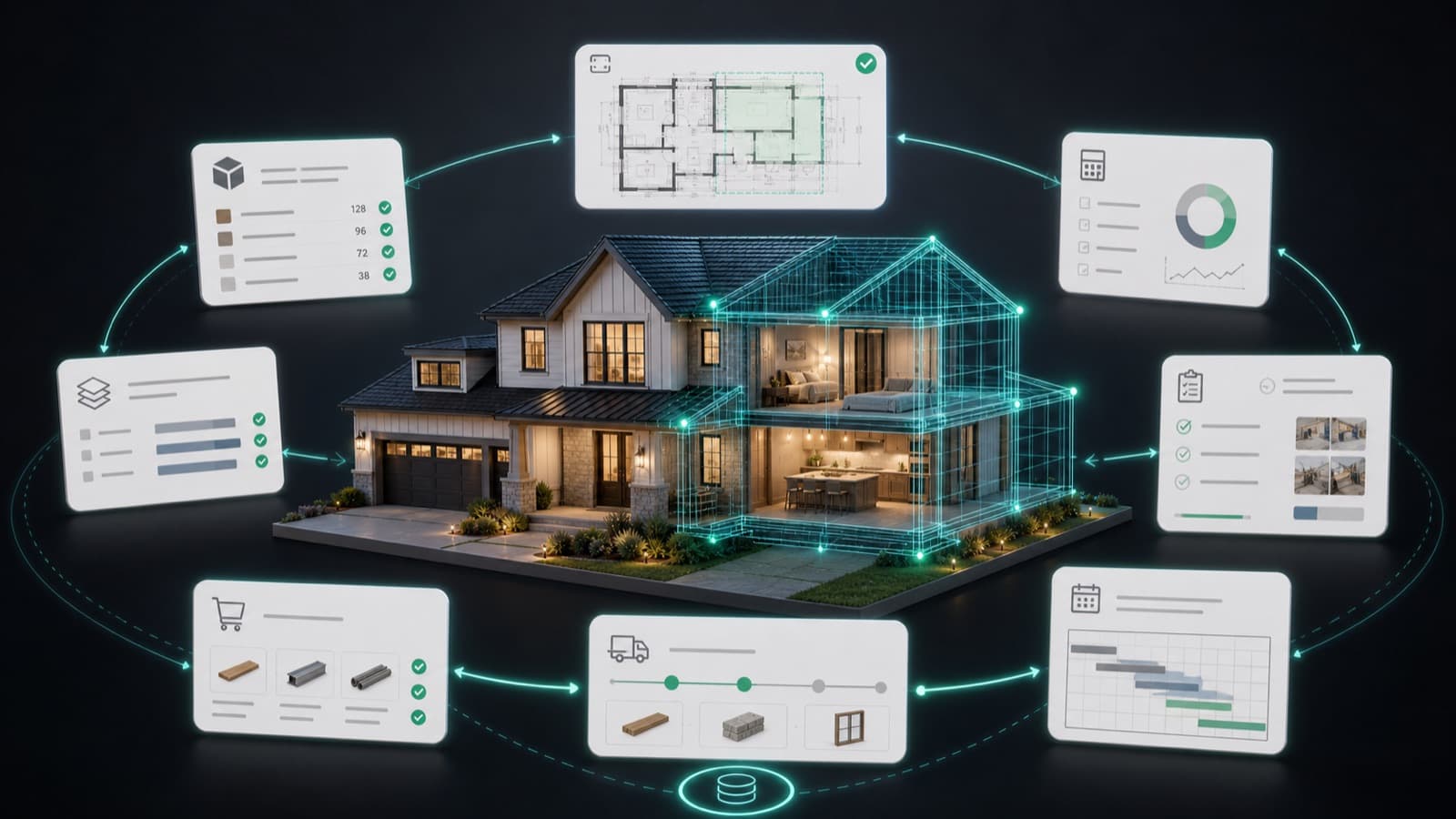
Link the Autodesk Construction Cloud project to Ruh and pick the job you are estimating. Ruh reads the current published set from Autodesk Docs, along with the specs and the project directory, so you start from the same documents the field is working from. Nobody downloads sheets one at a time, and nobody rebuilds the directory by hand. Teams still running a BIM 360 tenant are handled the same way.
Run the Takeoff and Price Against Your Own Book
Ruh reads the published sheets, counts and measures the scope, and prices those quantities against your own contractor price book rather than a generic cost database. When a revision is published mid-bid, the changed sheets are flagged and you re-run only the scope that moved. Every measured quantity carries the sheet it came from, so the output is a line-item draft estimate a reviewer can repeat, not a number you have to take on faith.
Review, Sign off, and Return the Summary to Build
The estimator checks the quantities, adjusts waste factors and job-condition assumptions, applies markup, and signs off. The estimate summary then returns to Autodesk Build as cost lines, while RFIs, submittals and issues keep running in Build where they belong. The judgment call stays with the estimator, and nothing posts to the budget before sign-off.
A Revision Lands Mid-Bid: By Hand vs Connected
Illustrative minutes for absorbing one published revision on a 148-sheet set. Recompute with your own per-sheet time.
Try Ruh on a real bid.
Ruh reads the set published in Autodesk Docs, runs the takeoff across the sheets, and prices every measured quantity against the contractor's own price book rather than generic cost data. Each line traces back to the sheet it was measured from, so a reviewer can go to that sheet and repeat the measurement instead of arguing with a total.
When a revision is published, the changed sheets are flagged and only the affected scope re-runs, which is the difference between absorbing a revision in an afternoon and absorbing it over two days. The estimator reviews the quantities, adjusts assumptions, applies markup, and signs off before the summary returns to the project budget in Autodesk Build.
Ruh + Autodesk Construction Cloud: Frequently Asked Questions
Which Autodesk products does this cover?+
The project platform side of Autodesk Construction Cloud. Autodesk Docs holds the published drawing set and specs that Ruh reads for takeoff, and Autodesk Build receives the estimate summary as cost lines. Teams still running a BIM 360 tenant are handled the same way, since the sheets and the project record are what matter here. If your question is about AutoCAD or Revit design files specifically, that is covered on the Ruh and Autodesk page for authoring tools. Ruh + Autodesk for AutoCAD and Revit
How is this different from Autodesk Takeoff?+
Autodesk Takeoff is a quantification tool inside Autodesk Construction Cloud, and teams that have it use it to measure. Ruh is doing a different job: an agent performs the measurement across the published set, then prices those quantities against your own contractor price book to produce a line-item draft estimate, with each line traceable to the sheet it came from. Teams generally connect Ruh because they want the pricing and the estimate, not only the quantities. If you already license Autodesk Takeoff, ask the Ruh team to run both against one of your own bid sets and compare the outputs before you decide anything.
Do our RFIs and submittals move out of Autodesk Build?+
No, and that is deliberate. The connection is scoped to the drawings, specs and project directory that feed takeoff and estimating, plus the estimate summary that returns to the budget. RFIs, submittals and issues keep running in Autodesk Build where the field and the PM team already manage them. Ruh does not touch that workflow.
What has to be installed in our Autodesk tenant?+
No special install inside Autodesk. Teams share the published set, the specs and the project directory with Ruh through the workflows the Ruh team sets up during onboarding, and estimate summaries come back the same way. Autodesk stays your project platform. IT reviews the plan before anything is connected, and access is scoped to the projects you name. Ask the Ruh team about current connector options for your tenant, including what is available through Autodesk Platform Services, since what fits depends on how your projects are set up.
Connected estimating beats copy-paste. See it on your plans.
Book a demo
