TL;DR / Summary
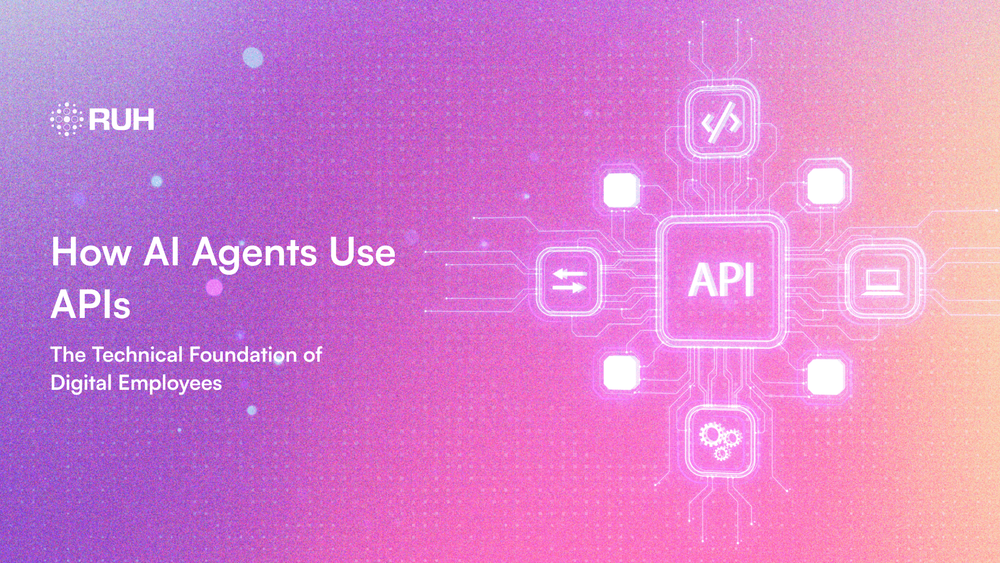
AI agents function as "digital employees" that autonomously execute complex workflows by interacting with the digital world through APIs the standardized connectors that allow them to access data and perform actions across software systems.
In this guide, we will discover how these agents use REST, real-time, and specialized AI APIs to power practical applications in customer service, sales, and finance, while also addressing critical security, cost, and implementation considerations. Understanding this API-driven foundation is key to leveraging AI agents that act as collaborative teammates, transforming efficiency by handling repetitive, multi-step tasks that traditionally consume significant human time.
Ready to see how it all works? Here’s a breakdown of the key elements:
- Understanding AI Agents: Your Digital Teammates
- APIs Explained: The Nervous System of AI Agents
- How AI Agents Actually Use APIs: A Behind-the-Scenes Look
- Types of APIs AI Agents Use
- Real-World Applications: AI Agents in Action
- Security: Keeping AI Agents Safe and Controlled
- Getting Started: Your Implementation Roadmap
- The Future: Where This Technology Is Heading
- Common Misconceptions Debunked
- Frequently Asked Questions (FAQs)
Understanding AI Agents: Your Digital Teammates
An AI agent is software that understands goals, makes decisions, and takes actions to achieve those goals all without constant human oversight.
According to IBM's research, these systems are autonomous entities that can perceive their environment and act upon it intelligently. In everyday language: they observe what's happening, decide what to do, and then actually do it.
AI Agents vs. Traditional Chatbots
Here's the key difference:

A Capgemini study found that organizations using AI agents achieved 40% faster task completion compared to traditional automation. The reason? These digital employees don't just process information—they execute complete workflows.
To understand the different categories of AI agents and how they function, explore our comprehensive guide on the seven types of AI agents, which breaks down everything from simple reflex agents to sophisticated learning systems.
Why "Digital Employees"?
The term isn't marketing hype. AI agents genuinely mirror human work patterns:
- Handle entire workflows (booking a meeting involves checking calendars, finding rooms, and sending invites)
- Make judgment calls (deciding which team members need to attend based on the agenda)
- Learn from experience (remembering everyone prefers afternoon meetings) Collaborate (working with both humans and other AI agents)
Ruh.AI is pioneering this space, creating AI agents that feel like genuine team additions rather than just software tools. For instance, their AI SDR solution demonstrates how specialized agents can handle complex sales workflows through intelligent API orchestration.
If you're curious about how agents improve over time, our article on learning agents in AI explores the mechanisms that help these systems become more effective with each interaction.
APIs Explained: The Nervous System of AI Agents
API stands for Application Programming Interface. But let's make this simple with an analogy.
The Restaurant Metaphor
Think of it like dining at a restaurant:
- You (the customer) = The AI agent
- The kitchen = Software systems like Google Calendar or Salesforce
- The waiter = The API
You don't barge into the kitchen and cook your own meal. Instead, you tell the waiter what you want. The waiter communicates with the kitchen, and your food arrives perfectly prepared. The waiter—the API—makes everything work smoothly.
MuleSoft explains that APIs are "the connective tissue allowing AI agents to interact with the broader digital ecosystem." Without APIs, AI agents would be brilliant minds trapped in boxes, unable to access data or execute tasks.
Why AI Agents Absolutely Need APIs
1. Real-Time Information Access
A customer service AI agent needs to check order status, inventory levels, and shipping details across multiple databases. APIs provide these access keys instantly.
2. Action Execution
Reading information isn't enough. AI agents must do things: send emails, create calendar events, update records, and generate reports. Each action requires an API call to the relevant system.
3. Cross-Platform Integration
Research from Gravitee shows the average enterprise uses 130+ different software applications. APIs allow AI agents to work seamlessly across this entire ecosystem.
For businesses managing complex workflows, understanding AI orchestration for multi-agent systems is crucial for coordinating API calls across multiple specialized agents working together.
How AI Agents Actually Use APIs: A Behind-the-Scenes Look
Let's demystify the technical process with a real-world example.
Real Example: Scheduling a Team Meeting
You tell your AI agent: "Schedule a meeting with my team next Tuesday at 2 PM."
Here's what happens in seconds:
Step 1: Understanding (The Brain)
The AI agent's language model processes your request and identifies:
- Action needed: Create a calendar event
- Participants: Team members
- Timing: Next Tuesday, 2 PM
- Required systems: Calendar, HR database, email
Step 2: Planning (The Coordinator)
- The agent creates an execution plan:
- Identify all team members (HR API)
- Check everyone's availability (Calendar API)
- Find an available conference room (Facilities API)
- Create the calendar event (Calendar API)
- Send meeting invitations (Email API)
This orchestration process is critical in complex systems. Learn more about how AI orchestration coordinates multi-agent workflows to handle sophisticated business processes efficiently.
Step 3: Authentication (Security Check)
Before making any API calls, the agent needs permission. According to Treblle's security guide, this involves:
- API keys (digital passwords for each system)
- OAuth tokens (temporary access passes)
- Scope restrictions (limiting what the agent can access)
Step 4: Execution (The Action)
The agent makes structured requests. Here's a simplified calendar API call: POST /calendar/events { "title": "Team Meeting", "start": "2025-12-17T14:00:00", "duration": 60, "attendees": ["alice@company.com", "bob@company.com", "charlie@company.com"], "room": "Conference Room B" }
Step 5: Confirmation (Closing the Loop)
Each API returns information. The agent processes all responses and confirms: "I've scheduled your team meeting for Tuesday, December 17th at 2 PM in Conference Room B. All five team members have been invited and the meeting is on their calendars."
This entire process—involving five different systems and APIs—happens in under three seconds.
Function Calling: How Agents Choose the Right APIs
Modern AI agents use "function calling" or "tool use"—a sophisticated decision-making process.
Think of it like a carpenter's toolbox. The carpenter doesn't randomly grab tools; they select the right one for each task. Similarly, AI agents are given a "toolbox" of available APIs with descriptions of what each does. When you assign a task, the agent intelligently selects which APIs to use and in what order.
PTC's research shows that AI agents with function calling capabilities handle 70% more complex workflows than traditional automation scripts.
When multiple agents work together, this decision-making becomes even more sophisticated. Our guide on single agent vs. multi-agent systems explores how different architectural approaches handle API coordination.
Ruh.AI excels at this intelligent tool selection, with agents that understand context and choose the most efficient path to accomplish tasks. Check out SDR Sarah, an AI sales development representative that demonstrates sophisticated API orchestration in real-world sales scenarios.
Types of APIs AI Agents Use
AI agents interact with different API types, each serving specific purposes.
1. REST APIs (The Workhorses)
REST APIs use standard web protocols—the same technology that loads websites in your browser.
Why agents love them:
- Simple, predictable structure
- Extensively documented
- Used by most major platforms (Salesforce, Stripe, Google Calendar, Slack)
Data from Softude indicates that 83% of AI agent interactions use REST APIs due to their reliability and widespread adoption.
2. Real-Time Communication APIs
These maintain open connections for instant updates—crucial for time-sensitive applications.
Agent use cases:
- Live customer support chat
- Stock price monitoring
- Social media mention alerts
- IoT device management
Example: A social media monitoring AI agent uses real-time APIs to notify you instantly when your brand is mentioned, rather than checking periodically.
3. Database and Storage APIs
Agents need to save information and retrieve historical data.
Common operations:
- Storing conversation histories
- Retrieving customer purchase records
- Updating inventory levels
- Logging all actions for compliance
4. Specialized AI APIs
Sometimes AI agents call other AI services to enhance their capabilities:
- Vision APIs → Analyze images or scanned documents
- Speech APIs → Transcribe audio or generate voice responses
- Translation APIs → Communicate across languages
- Sentiment Analysis APIs → Detect customer emotions in text
This "AI calling AI" pattern is increasingly common. A Ruh.AI customer service agent might use sentiment analysis to detect frustration, then automatically adjust its communication style or escalate to a human.
For businesses leveraging multiple specialized agents, understanding competitive vs. collaborative multi-agent systems helps optimize how these agents share API resources and coordinate their actions.
Real-World Applications: AI Agents in Action
Theory is helpful, but let's see practical implementations.
Customer Service Digital Employees
The Challenge: An e-commerce company receives 500+ daily customer inquiries. Human agents are overwhelmed, and simple chatbots frustrate customers.
The AI Solution:
The agent handles first-tier support through strategic API calls:
- Order management API (check order status)
- Shipping carrier APIs (track packages in real-time)
- Knowledge base API (find relevant help articles)
- Email API (send confirmations)
- CRM API (log all interactions for future reference)
Results: Companies with similar implementations report:
- 65% reduction in response time
- 40% decrease in human agent workload
- 89% customer satisfaction for routine inquiries
Sales Intelligence Agents
The Scenario: B2B sales teams need to monitor competitor pricing, track prospect company news, and update CRM systems—tasks consuming hours weekly.
How the Agent Operates:
Running continuously in the background, the agent makes calls to:
- Web scraping APIs (monitor competitor websites)
- News APIs (track prospect company announcements)
- LinkedIn API (identify leadership changes)
- Salesforce API (automatically update lead scores)
- Slack API (alert reps about urgent opportunities)
Sales representatives using these systems report spending 30% more time actually selling rather than researching—a significant productivity gain.
For organizations looking to implement AI-powered sales solutions, our case study on multi-agent AI sales systems demonstrates how coordinated agents can dramatically shorten sales cycles through intelligent API orchestration.
Financial Analysis Digital Employees
The Use Case: Investment firms analyze quarterly reports, news sentiment, and market data across thousands of companies.
The API-Powered Workflow:
The agent orchestrates calls to:
- SEC EDGAR API (retrieve official filings)
- Market data APIs (get real-time prices)
- News aggregation APIs (collect relevant articles)
- Internal database API (store analysis)
- Reporting API (generate client reports)
Capgemini research shows financial firms implementing AI agents reduce analysis time by 75% while improving accuracy—a powerful combination.
Security: Keeping AI Agents Safe and Controlled
With AI agents making hundreds of API calls daily, robust security is non-negotiable.
Authentication Best Practices
The Challenge: How do you grant sufficient access for usefulness without creating security vulnerabilities?
Solutions:
- Principle of Least Privilege → Agents only access necessary APIs. A customer service agent doesn't need financial system access.
- Scoped API Keys → Create specific keys for each function. If compromised, damage is contained to that single function.
- Regular Key Rotation → Treblle recommends rotating credentials every 90 days, even for AI agents.
- Comprehensive Audit Logging → Every API call logged with timestamps, the responsible agent, and results. This creates full accountability.
For enterprises managing multiple agents across different departments, AI orchestration as a strategic imperative explores governance frameworks that ensure security while maintaining operational flexibility.
Cost Control and Rate Limiting
AI agents can make API calls extremely fast. Without proper controls, costs can spiral unexpectedly.
Smart Management Strategies:
- Set hard daily limits on API call volumes
- Implement intelligent caching so agents don't re-fetch unchanged data
- Use tiered access based on task priority
- Monitor spending with real-time alerts at threshold percentages
Industry analysis from UKnowva shows companies implementing comprehensive API cost controls reduce AI agent operating expenses by an average of 35%.
Error Handling and Resilience
APIs sometimes fail—servers crash, rate limits are exceeded, data formats change. Your AI agent needs contingency plans.
Robust Error Handling:
- Retry logic with exponential backoff → If a call fails, wait and try again, with increasing wait times
- Alternative data sources → If one API is down, can another provide similar information?
- Human escalation → For critical failures, immediately notify a human team member
- Transparent communication → Keep users informed about what's happening and why
Ruh.AI builds sophisticated error-handling into their agents, ensuring temporary API issues don't derail entire workflows. This resilience is particularly important in multi-agent systems where one agent's API failure could affect downstream processes.
Getting Started: Your Implementation Roadmap
Ready to explore AI agents for your organization? Here's a practical path forward.
Step 1: Identify High-Impact Use Cases
Start with tasks that are:
- Repetitive (done frequently with minimal variation)
- Data-intensive (require information from multiple sources)
- Rule-based (follow clear logical patterns)
- Time-consuming (take humans hours but could be automated)
Ideal starter projects:
- Appointment scheduling and calendar management
- Data entry and system migration
- Automated report generation
- Email triage and categorization
- Social media monitoring and response
For sales-focused organizations, consider specialized solutions like Ruh.AI's AI SDR, which demonstrates how targeted AI agents can transform specific business functions through intelligent API integration.
Step 2: Audit Your API Infrastructure
Before deploying agents, assess readiness:
Do you have documentation for all your APIs? Are APIs secured with modern authentication? Do you have rate limiting implemented? Can systems handle increased API traffic? Do you have monitoring and logging tools?
Address any gaps before proceeding. The Capgemini framework provides excellent preparation guidance.
Step 3: Choose Your Approach
Option A: Build Custom
- Maximum customization
- Requires technical expertise
- Longer deployment timeline
- Best for unique requirements
Option B: Use an AI Agent Platform (like Ruh.AI)
- Faster deployment
- Pre-built integrations
- Professional support included
- Best for most business use cases
Option C: Hybrid
- Platform for core functionality
- Custom-build specialized capabilities
- Balances speed with flexibility
Understanding the difference between single agent and multi-agent architectures will help you make informed decisions about which approach best fits your organizational needs.
Step 4: Run a Focused Pilot
Don't roll out across your entire organization immediately.
Pilot Best Practices:
- Choose one department or process
- Set clear success metrics (time saved, accuracy, satisfaction)
- Run for 30-60 days with close monitoring
- Gather stakeholder feedback continuously
- Document learnings thoroughly
- Iterate based on results
IBM's research shows organizations running structured pilots achieve 2.5x higher success rates in full deployments.
Step 5: Scale Strategically
After pilot success, expand thoughtfully:
- Document your success with internal case studies
- Train your team on working alongside AI agents
- Establish governance for approving new agent deployments
- Build API governance frameworks for future integrations
- Plan for continuous optimization as agents learn and improve
Our comprehensive guide on AI orchestration for multi-agent workflows provides detailed strategies for scaling from single pilot projects to enterprise-wide implementations.
The Future: Where This Technology Is Heading
The landscape is evolving rapidly. Here's what's emerging:
Agent-to-Agent Collaboration
Tomorrow's AI agents won't work in isolation—they'll coordinate with each other:
- Sales agents collaborate with marketing agents for perfect timing
- Customer service agents consult technical support agents for complex issues
- Multiple specialized agents team up on research projects
This requires new APIs specifically designed for inter-agent communication. Our article on competitive vs. collaborative multi-agent systems explores how different coordination strategies affect API usage patterns and system performance.
Self-Healing Systems
Future agents won't just handle errors—they'll fix them automatically:
- Detecting API schema changes and adapting in real-time
- Switching to alternative APIs when primary services fail
- Optimizing their own usage patterns based on cost and performance
PTC's forward-looking research suggests self-healing capabilities could reduce integration maintenance costs by 60%.
The evolution toward learning agents means these systems will continuously improve their API interaction strategies based on experience and outcomes.
API Economy Evolution
As agents become more capable, we'll likely see:
- Marketplaces offering "agent-ready" APIs with premium support
- Businesses renting specialized AI agent capabilities by the hour
- API documentation including "agent success rates" as quality metrics
Industry Standardization
Currently, every AI agent platform works differently. Organizations like the W3C and OpenAPI Initiative are exploring standards to make agents more interoperable—similar to how web standards let any browser access any website.
Understanding AI orchestration as a strategic imperative for 2026 will help forward-thinking organizations prepare for these emerging standards and position themselves advantageously.
Common Misconceptions Debunked
Let's clear up confusion about AI agents:
Myth 1: "AI Agents Will Replace All Human Jobs"
Reality: AI agents handle specific tasks, not entire jobs. They're colleagues, not replacements. The World Economic Forum predicts AI will create 97 million new positions requiring human-AI collaboration skills.
Myth 2: "You Need Programming Skills to Use AI Agents"
Reality: Modern platforms like Ruh.AI provide intuitive interfaces. You configure agents through conversational interfaces or visual workflows—no coding required.
Myth 3: "AI Agents Are Only for Big Companies"
Reality: Small and medium businesses often see the highest ROI because they have fewer resources to waste on repetitive tasks. Cloud-based platforms start under $100/month.
Myth 4: "Once Set Up, Agents Run Perfectly Forever"
Reality: AI agents require ongoing monitoring and adjustment—just like human employees need training and feedback. Budget 10-15% of deployment time for maintenance and optimization. Our article on learning agents in AI explains how continuous improvement works in practice.
Your Next Steps
Understanding how AI agents use APIs opens the door to transformative automation. Here's how to move forward:
- Identify 2-3 high-impact use cases in your organization
- Assess your API readiness with the checklist above
- Explore AI agent platforms like Ruh.AI that match your needs
- Review specialized solutions like AI SDR or [SDR Sarah](SDR Sarah) for function-specific implementations
- Run a small pilot project to build confidence
- Measure everything to demonstrate ROI
- Scale based on results using orchestration best practices
The era of digital employees is here. Organizations that understand and leverage the AI agent-API relationship will gain significant advantages in efficiency, scalability, and innovation.
The question isn't whether AI agents will transform work—they already are. The question is whether your organization will lead that transformation or follow behind.
Ready to get started? Contact the Ruh.AI team to discuss how AI agents can transform your specific business processes through intelligent API orchestration.
For more insights on AI agents and enterprise automation, explore the Ruh.AI blog for comprehensive guides, case studies, and implementation strategies.
Frequently Asked Questions (FAQs)
What exactly is an AI agent?
Ans: An AI agent is autonomous software that can understand goals, make independent decisions, and take actions across multiple systems to achieve those goals. Unlike traditional automation or chatbots, AI agents can adapt to new situations, handle complex multi-step workflows, and work across different software platforms using APIs. Learn more about the different categories in our guide to the seven types of AI agents.
How are APIs different from regular software integrations?
Ans: APIs (Application Programming Interfaces) are standardized ways for software systems to communicate. Think of them as universal translators—they allow an AI agent to interact with any system that provides an API, without needing custom code for each integration. Traditional integrations are often rigid and system-specific, while APIs are flexible and scalable. For complex business processes, AI orchestration in multi-agent systems coordinates multiple APIs across different agents efficiently.
Can AI agents make mistakes when using APIs?
Ans: Yes, AI agents can make errors, which is why proper safeguards are essential. Common issues include misinterpreting user requests, exceeding rate limits, or attempting unauthorized actions. Quality AI agent platforms like Ruh.AI include error handling, human oversight options, audit logging, and the ability to undo actions when mistakes occur.
How much do AI agents cost to implement?
Ans: Costs vary widely based on complexity. Small implementations using platforms like Ruh.AI can start under $100-500/month for basic functionality. Custom enterprise implementations might cost $10,000-100,000+ initially, plus ongoing API usage fees. However, ROI is typically strong—most organizations report saving 10-30 hours per week per agent deployed. Case studies like our multi-agent AI sales system demonstrate quantifiable returns.
Are AI agents secure enough for sensitive business data?
Ans: When properly implemented, yes. Security measures include encrypted API connections, scoped access permissions, comprehensive audit trails, and regular security reviews. Choose platforms that follow industry standards for data protection and offer enterprise-grade security features. Never grant agents broader access than necessary. Our guide on AI orchestration as a strategic imperative covers enterprise security frameworks in detail.
What happens if an API the agent uses goes down?
Ans: Well-designed AI agents include error handling and fallback mechanisms. They might retry the connection, switch to an alternative data source, notify a human for assistance, or gracefully inform users about the temporary limitation. This is why platforms like Ruh.AI build resilience into their agent architecture. In multi-agent workflows, orchestration layers can automatically route tasks to backup agents when primary systems fail.
Can multiple AI agents work together?
Ans: Yes, and this is becoming increasingly common. Agent collaboration allows specialization—one agent might handle customer-facing interactions while another manages backend data processing. They coordinate through APIs, passing information and tasks between each other to complete complex workflows efficiently. Learn more about different coordination strategies in our comparison of competitive vs. collaborative multi-agent systems